Euro Truck Simulator 2 mods in multiplayer: what works and what doesn’t
Euro Truck Simulator 2 multiplayer feels like a shared movie set: cargo visibility, routes, time of day, weather, traffic behavior, and even the appearance of your truck should match across all players. That’s why the question “what works and what doesn’t” in ETS2 multiplayer is less about whether a mod is cool, and more about whether it breaks synchronization. When a mod changes something the server or other clients expect to receive in a certain format, you get desync, sudden disconnects, missing/incorrect cargo, invisible or mismatched models, or a “different world” for different players.
The most common root cause is not having identical files and identical mod versions on every participant—plus missing dependencies or mixing incompatible ETS2 versions. In multiplayer, depending on the platform and server setup, either everything must match exactly, or only “safe” changes (mostly visual) should be used. Below is a practical checklist, plus guidance on specific mods that you’ll typically want to treat as either “safe-ish” or “high-risk”.
1) Think in categories: visual-only vs world-changing
A useful rule is to split mods into visual and world modifications. Visual mods change models, textures, lighting details, or vehicle appearances. They usually have a better chance of working in multiplayer. World-changing mods alter the map, traffic AI, spawn rules, job/economy mechanics, global weather or gameplay state. Those are exactly what most often cause the multiplayer to “break”.
For example, if you use a map expansion, it practically always requires that the server and all players load the same version. The mod Kazakhstan: engaging map V1.4 for ETS2 is a good case: it may be fine on a dedicated server only when everyone has the same map mod files and the same dependencies. If somebody joins with no map mod (or a different version), you risk broken routing, missing roads, incorrect navigation prompts, and inconsistent world streaming.
2) Match the game version (e.g., 1.58) every time
Many ETS2 mods are tied to a particular patch level. Trying to run a mod made for one version on another is a fast way to crash, disappear models, or make lighting/rigging behave differently between clients. So check compatibility. If the mod says for 1.58, make sure both your game and the server are actually on 1.58.
A good example of version-specific content is Mercedes Benz Actros MP6 1.58 – impressive and powerful. Even when it’s “just a truck”, multiplayer still cares about consistent model assets and about conflicts with other vehicle replacement mods. If the server uses a different truck pack or overrides the same slots, you’ll see mismatch (or sometimes errors) for different players.
3) Traffic and company-style mods are higher risk
Mods that change traffic logic—AI routes, spawn frequency, or company-based behavior—often introduce desync. Sometimes it looks fine for a while, then after 10–30 minutes you notice ghosts, frozen AI, wrong lane priority, or traffic that doesn’t behave consistently for different players.
That’s why you should only use these after server confirmation. The mod TM OWN Company with Traffic for Euro Truck Simulator 2 is a classic “talk to the server first” option: if the server isn’t running the exact same traffic logic, you’ll end up driving through situations that look different across clients, and collisions or braking moments won’t match.
For calmer multiplayer sessions, safer choices are mods that mostly add visuals (decor, paint, single-vehicle models) rather than AI behavior changes. But even visuals can conflict if they override the same files.
4) Truck and bus mods: usually workable, but watch for slot conflicts
Vehicle mods are often used in multiplayer because they’re frequently visual. Still, there are important gotchas: replacing standard files can interfere with what the server or other players use; incorrect LOD/collision can cause clipping; and mismatched rig/material setups can lead to different appearance across clients.
Bus mods deserve special attention. The mod Thaco Cruizer 120S bus for Euro Truck Simulator 2 is likely to work visually, but buses can include configuration for seats and doors. Multiplayer usually tolerates it better than gameplay mods, yet poor collision or streaming settings may still cause “fall-through” effects or model differences at distance.
High-detail buses can also require consistent load order. The mod Volvo 9600 bus mod 1.58 – detailed and realistic is typically fine as content, but if the server already uses another bus pack that touches the same category/parts, mixing them is where problems start.
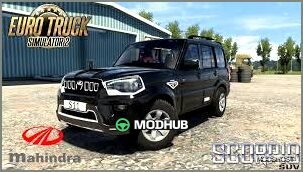
If you want a more “simple add” to your personal fleet, Mahindra Scorpio mod – impressive 1.58 for ETS2 is often straightforward. Still, always check whether it affects traffic spawning (some authors configure AI usage), because that would push it into the higher-risk group.
5) Passenger mods: treat as stateful gameplay changes
Passenger-related mods are a special category. If a mod adds systems for pickup/drop-off, ticket management, passenger positions, or event-driven interactions, it usually needs the same implementation on every client (and often server). The mod Passengers V1.6 – realistic and stable can greatly improve immersion, but in multiplayer you must ensure the server and all players run identical versions—especially if the mod keeps track of “who is where” and “which task is active”.
Quick decision rule: if the mod creates or synchronizes gameplay state (seating, active tasks, who picked whom up), assume multiplayer risk. Pure visual replacements are usually safer.
6) Why mods can look fine at first and fail later
Sometimes a mod doesn’t kick you immediately. You might play for 5–15 minutes and everything looks “almost right”, then AI traffic starts diverging, world streaming loads different objects, or the spawn counts shift. It’s like different clocks drifting: initial data matches, then one copy of the world logic diverges, causing desync.
7) Setup tips that reduce desync
- Same mods everywhere: identical mod set and identical versions for all players.
- Same ETS2 patch: if the mod is “for 1.58”, the server must be on 1.58 too.
- Load order matters: some mods conflict depending on priority, especially vehicle/traffic replacements.
- Short test drive: do a quick run first (a few kilometers, minimal events) before joining big sessions.
- Avoid experimental gameplay: scripting/UI/economy-global changes should only be used after server approval.
8) A fast pre-session test checklist
Before joining an actual multiplayer server, verify: models load correctly, no missing materials, camera changes are stable, and lighting looks consistent. Then drive 2–3 km, check mirrors and traffic behavior, and watch for missing objects or “pop-in” streaming issues. If you notice different traffic patterns or missing map elements, that’s a sign you’re using a world-changing mod without strict version agreement.
9) Bottom line: what more often works vs what more often breaks
More likely to work are vehicle packs matched to the correct ETS2 version—like Mercedes Actros MP6 1.58—and bus/vehicle content when the server doesn’t have conflicting replacements (for example, Volvo 9600 1.58).
More likely to cause problems are map mods (Kazakhstan V1.4), passenger mods with gameplay state (Passengers V1.6), and traffic/company mods (TM OWN Company with Traffic). They can work—but only when server and clients are 100% aligned.