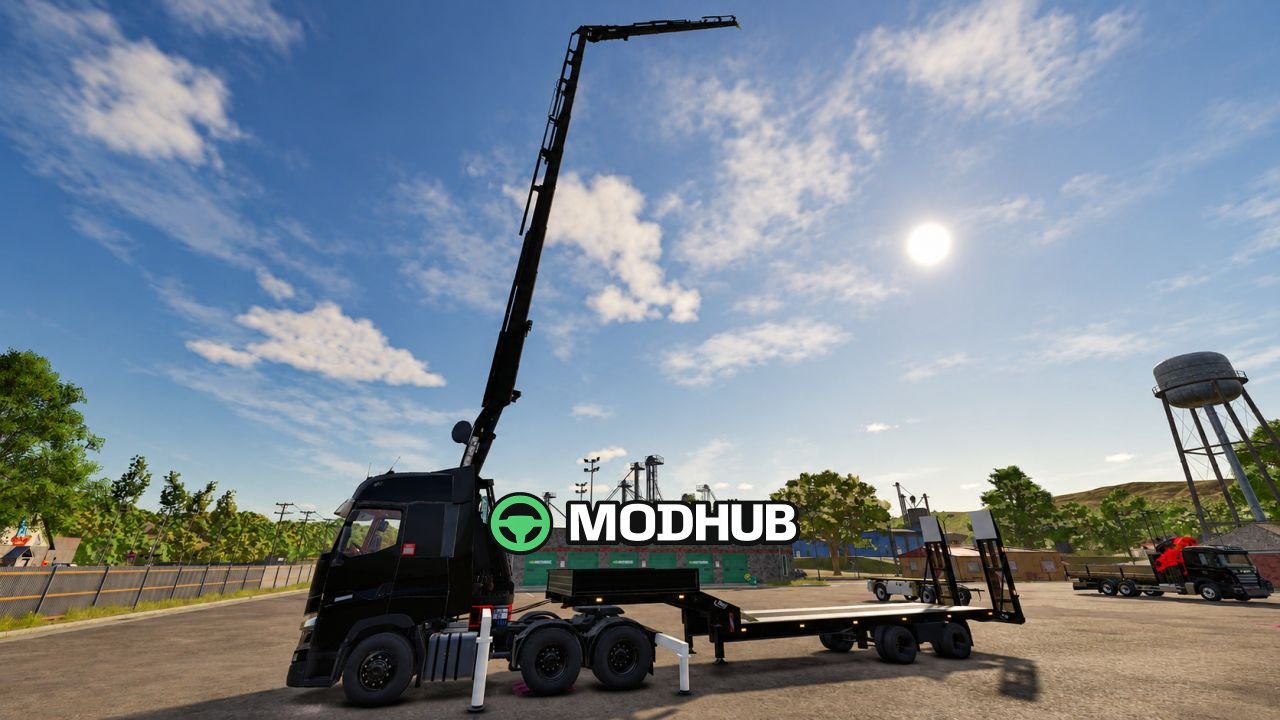
The Renault T truck with HMF 6020 crane and Fly Jib is a specialized machine for Farming Simulator 25, designed for loading and unloading tasks. It combines a Renault T chassis with a mid-range HMF 6020 crane equipped with an additional Fly Jib extension. This setup makes the vehicle convenient for transporting and assembling construction materials. It is not a heavy-duty crane, but it is definitely not a lightweight either, performing reliably in the medium load range.
• HMF 6020 crane with Fly Jib extension for increased reach
• Trailer attachment recommended for better stability during lifting
• Cargo on the trailer provides additional counterweight and improves lifting stability
• Crane operation without a trailer is possible, but lifting capacity is significantly reduced
• Planned for the next update: rear bumper and functional front stabilizer leg
This mod is a free gift from the DBG Community to the FS25 community.
About Truck Renault T with HMF 6020 Crane and Fly Jib for FS25
Truck Renault T with HMF 6020 Crane and Fly Jib for FS25 is a mod for Farming Simulator 25. Check the author description, supported game version and dependencies before installing.
How to install the mod
Follow the installation instructions for Truck Renault T with HMF 6020 Crane and Fly Jib for FS25, Farming Simulator 25 and your platform.
Download the mod archive using the Download button and read the author instructions.
On PC, copy the mod ZIP without extracting it to Documents/My Games/FarmingSimulator2025/mods. For a bundle, extract the individual mod ZIPs first. macOS and Microsoft Store paths may differ; check Mod Directory in the game log.txt.
Start the game and enable the mod for the selected save or profile, if required.
Test using a backup or a new save. Install any dependencies listed by the author.
System requirements and compatibility
Check the mod description for supported game versions, required DLC and platforms. Compatibility with every version or other mods is not guaranteed. Farming Simulator script mods are for PC/macOS. Console players can only install compatible mods from the in-game GIANTS ModHub.
Frequently asked questions
Is this mod free?
MODHUB does not charge for access to this mod page. Check the terms and download limits of the external file provider.
Can I use this mod in Farming Simulator 25 multiplayer?
Multiplayer support depends on the mod and its author. If supported, the server and players need matching mod versions and required DLC.
What should I check if the mod does not work?
Check the installation folder, archive structure, supported game version, dependencies and game logs. Test the mod separately using a backup save.
How can I check a downloaded mod?
Use trusted author sources, scan the archive and back up your saves. Do not run unrelated installers; a download listing does not guarantee safety or compatibility.