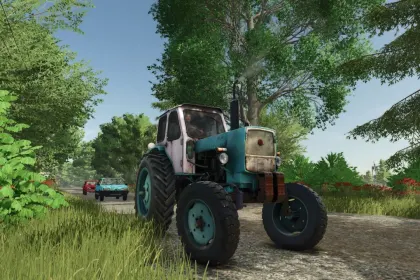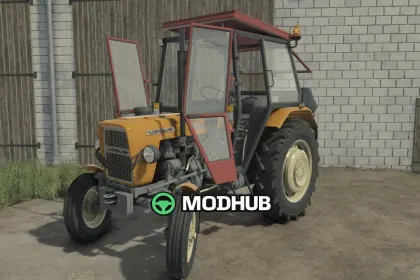
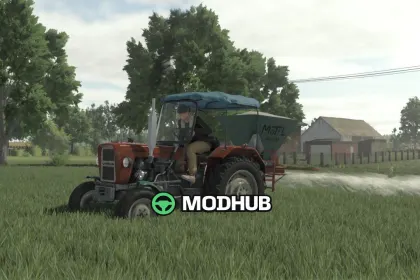

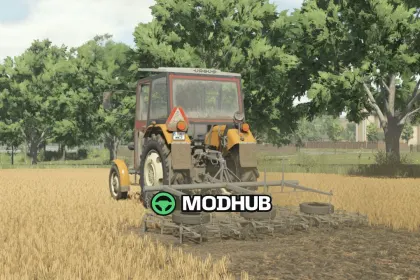
The Ursus C-330/330M is an agricultural tractor for Farming Simulator 25, produced between 1967 and 1993, known for its simple design and economical 30 HP engine. The C330M, manufactured from 1986, was an upgraded version with a more powerful engine, better hydraulic system, and increased payload capacity. In the game, the tractor is available for 15,500, reaches a maximum speed of 27 km/h, and weighs 1,700 kg. It also features mouse-openable doors and roofs, adding to the realism.
• Power: 30-31 HP depending on engine type
• Maximum speed: 27 km/h
• Price: 15,500
• Weight: 1,700 kg
• Configurations: engine type, wheels, cabins, grills, front weights, fenders, mudflaps, stickers, warning lights, silencer, compressor, charging, distributor, air filter, front axle, warning triangle, additional lighting, front loader console, license plate
• Colors: sheets, corps, cabins, doors, roof, loader console, front fenders, hubs, front grille, rims
• Compatibility: front loaders from C355-C360
• Update V1.9.1.0: added 2 new engine sounds (3 tractors in the shop, each with a different engine sound), corrected steering wheels, corrected IC marker in the Puszka cab, corrected positioning of rear wheels/hubs, new front rim model, improved old grille model, added possibility of having a license plate on the front axle plate, corrected new exhausts, corrected exhaust configuration, corrected IC position for the doors of the Naglak cab
• Required mods: Interactive Control
About Tractor Ursus C-330/330M for FS25
Tractor Ursus C-330/330M for FS25 is a mod for Farming Simulator 25. Check the author description, supported game version and dependencies before installing.
How to install the mod
Follow the installation instructions for Tractor Ursus C-330/330M for FS25, Farming Simulator 25 and your platform.
Download the mod archive using the Download button and read the author instructions.
On PC, copy the mod ZIP without extracting it to Documents/My Games/FarmingSimulator2025/mods. For a bundle, extract the individual mod ZIPs first. macOS and Microsoft Store paths may differ; check Mod Directory in the game log.txt.
Start the game and enable the mod for the selected save or profile, if required.
Test using a backup or a new save. Install any dependencies listed by the author.
System requirements and compatibility
Check the mod description for supported game versions, required DLC and platforms. Compatibility with every version or other mods is not guaranteed. Farming Simulator script mods are for PC/macOS. Console players can only install compatible mods from the in-game GIANTS ModHub.
Frequently asked questions
Is this mod free?
MODHUB does not charge for access to this mod page. Check the terms and download limits of the external file provider.
Can I use this mod in Farming Simulator 25 multiplayer?
Multiplayer support depends on the mod and its author. If supported, the server and players need matching mod versions and required DLC.
What should I check if the mod does not work?
Check the installation folder, archive structure, supported game version, dependencies and game logs. Test the mod separately using a backup save.
How can I check a downloaded mod?
Use trusted author sources, scan the archive and back up your saves. Do not run unrelated installers; a download listing does not guarantee safety or compatibility.