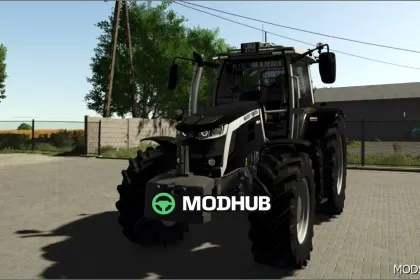
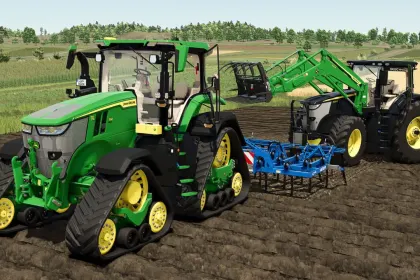
The John Deere 6115RC 2017 V1.0 tractor for Farming Simulator 25 is a compact, versatile machine for agricultural and everyday farm work. Its reliable engine, compact design and high maneuverability combine performance with flexibility. It suits farm, grassland and field tasks alike. Everyday use is just as practical with this model.
• Power output: 115 HP
• True-to-original model of the John Deere 6115RC (2017)
• Detailed interior and exterior design
• Realistic engine and driving sounds
• Working lights and animated controls
• Realistic tires and rims with several configuration options
Required mods: Interactive Control, Agra Monitor, AgraGPS.
Author: AlpenModding
About Tractor John Deere 6115RC 2017 V1.0 for FS25
Tractor John Deere 6115RC 2017 V1.0 for FS25 is a mod for Farming Simulator 25. Check the author description, supported game version and dependencies before installing.
How to install the mod
Follow the installation instructions for Tractor John Deere 6115RC 2017 V1.0 for FS25, Farming Simulator 25 and your platform.
Download the mod archive using the Download button and read the author instructions.
On PC, copy the mod ZIP without extracting it to Documents/My Games/FarmingSimulator2025/mods. For a bundle, extract the individual mod ZIPs first. macOS and Microsoft Store paths may differ; check Mod Directory in the game log.txt.
Start the game and enable the mod for the selected save or profile, if required.
Test using a backup or a new save. Install any dependencies listed by the author.
System requirements and compatibility
Check the mod description for supported game versions, required DLC and platforms. Compatibility with every version or other mods is not guaranteed. Farming Simulator script mods are for PC/macOS. Console players can only install compatible mods from the in-game GIANTS ModHub.
Frequently asked questions
Is this mod free?
MODHUB does not charge for access to this mod page. Check the terms and download limits of the external file provider.
Can I use this mod in Farming Simulator 25 multiplayer?
Multiplayer support depends on the mod and its author. If supported, the server and players need matching mod versions and required DLC.
What should I check if the mod does not work?
Check the installation folder, archive structure, supported game version, dependencies and game logs. Test the mod separately using a backup save.
How can I check a downloaded mod?
Use trusted author sources, scan the archive and back up your saves. Do not run unrelated installers; a download listing does not guarantee safety or compatibility.