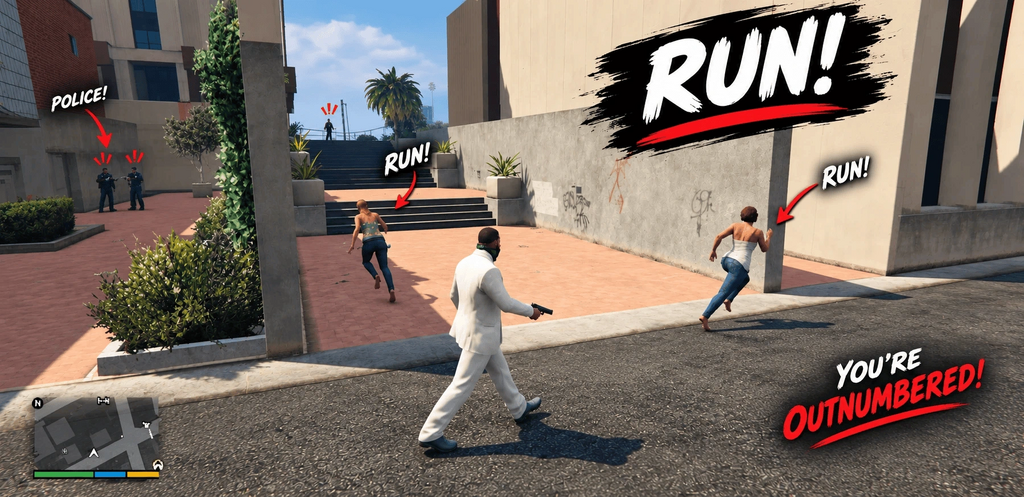
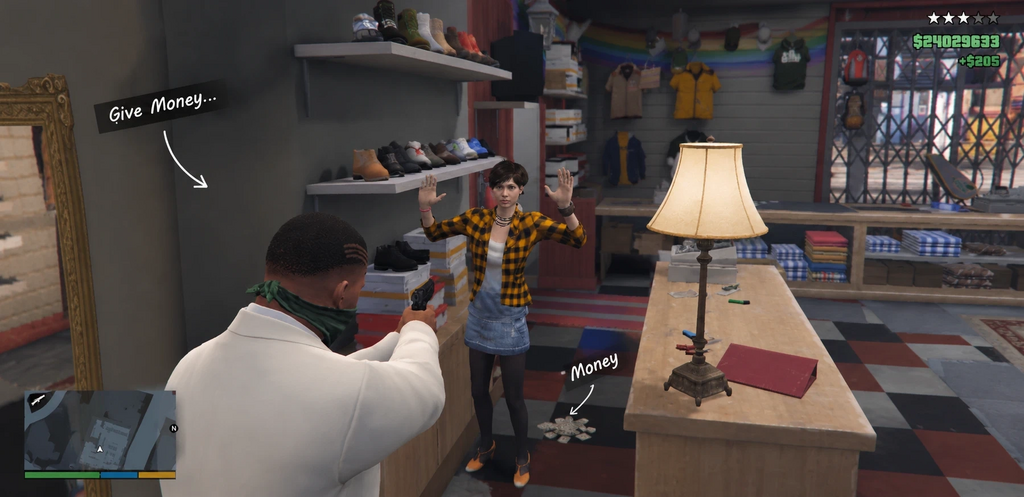
The NPC Weapon Reactions 2.2 script for GTA 5 changes how pedestrians and police respond when you draw a weapon in Story Mode. Depending on personality and area, NPCs may become nervous, run away, call the police or film you with their phones. Officers can warn you first, and panic can spread to nearby people. Once you holster your weapon, people gradually calm down.
• Staged reactions from noticing your gun to running away
• Police calls and phone filming
• Nervous, normal, brave and calm personality types
• Panic spreading and armed civilians who may fight back
• StrictWeaponCheck=true setting in the [Detection] section
Version 2.2 no longer treats using your phone as drawing a weapon.
Author: Sujalx7
About Script NPC Weapon Reactions for GTA 5
Script NPC Weapon Reactions for GTA 5 is a mod for GTA 5. Check the author description, supported game version and dependencies before installing.
How to install the mod
Follow the installation instructions for Script NPC Weapon Reactions for GTA 5, GTA 5 and your platform.
Download the mod archive using the Download button and read the author instructions.
Use the folder and archive format specified by the mod author for this game.
Start the game and enable the mod for the selected save or profile, if required.
Test using a backup or a new save. Install any dependencies listed by the author.
System requirements and compatibility
Check the mod description for supported game versions, required DLC and platforms. Compatibility with every version or other mods is not guaranteed.
Frequently asked questions
Is this mod free?
MODHUB does not charge for access to this mod page. Check the terms and download limits of the external file provider.
Can I use this mod in GTA 5 multiplayer?
Multiplayer support depends on the mod and its author. If supported, the server and players need matching mod versions and required DLC.
What should I check if the mod does not work?
Check the installation folder, archive structure, supported game version, dependencies and game logs. Test the mod separately using a backup save.
How can I check a downloaded mod?
Use trusted author sources, scan the archive and back up your saves. Do not run unrelated installers; a download listing does not guarantee safety or compatibility.