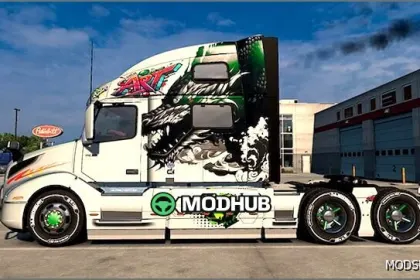
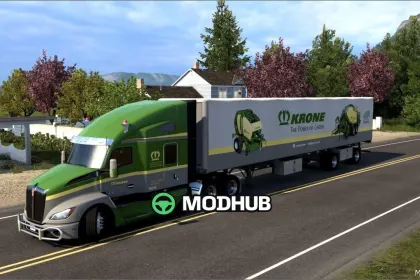
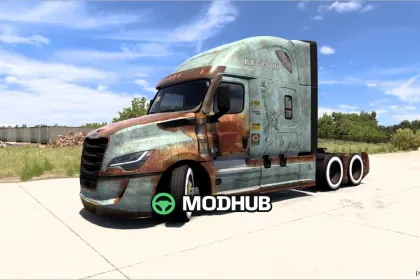
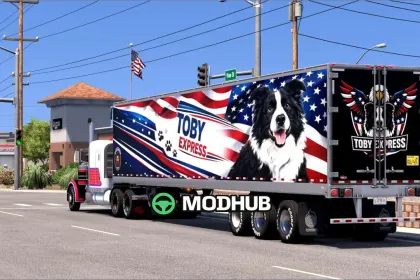
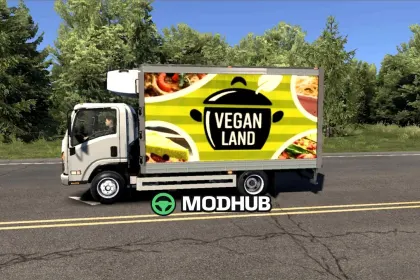
Smurfit Westrock Skins 1.01 is a skins mod for American Truck Simulator that refreshes the look of your trucks and adds a branded feel to your journeys across the United States. Built for the current ATS 1.58 version, it prioritizes texture quality, crisp details, and clean color transitions.
With this mod, you get more room for customization and can make your truck stand out on the roads. The skins fit naturally on the vehicle bodywork, keeping the branding consistent and readable while driving. It’s a solid choice both for everyday hauling and for creating screenshots or video content where visual accuracy matters.
Smurfit Westrock Skins 1.01 doesn’t alter driving physics or performance. Instead, it enhances the visual experience and helps you build a unique style for your ATS profile. If you like realistic brand liveries and well-crafted decals, this package is a great addition to your mods lineup.
About Skins Smurfit Westrock 1.01 for American Truck Simulator
Skins Smurfit Westrock 1.01 for American Truck Simulator is a mod for American Truck Simulator. Check the author description, supported game version and dependencies before installing.
How to install the mod
Follow the installation instructions for Skins Smurfit Westrock 1.01 for American Truck Simulator, American Truck Simulator and your platform.
Download the mod archive using the Download button and read the author instructions.
Use the folder and archive format specified by the mod author for this game.
Start the game and enable the mod for the selected save or profile, if required.
Test using a backup or a new save. Install any dependencies listed by the author.
System requirements and compatibility
Check the mod description for supported game versions, required DLC and platforms. Compatibility with every version or other mods is not guaranteed.
Frequently asked questions
Is this mod free?
MODHUB does not charge for access to this mod page. Check the terms and download limits of the external file provider.
Can I use this mod in American Truck Simulator multiplayer?
Multiplayer support depends on the mod and its author. If supported, the server and players need matching mod versions and required DLC.
What should I check if the mod does not work?
Check the installation folder, archive structure, supported game version, dependencies and game logs. Test the mod separately using a backup save.
How can I check a downloaded mod?
Use trusted author sources, scan the archive and back up your saves. Do not run unrelated installers; a download listing does not guarantee safety or compatibility.