This Realistic Light Effect v2.4.9.14 [1.61] mod is made for Euro Truck Simulator 2 and focuses on reworking truck lighting to make it feel more believable, especially at night.
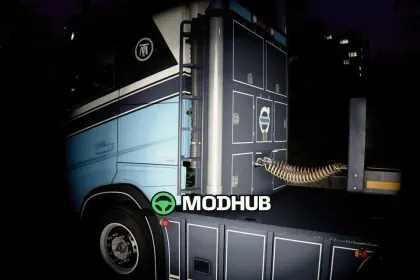
The goal is to address how default SCS lights can sometimes look too dark. The mod improves both the appearance and the behaviour of the headlights and signal lighting, giving you brighter illumination with a natural look. It’s designed to enhance immersion and visibility while keeping the lighting consistent with the real-world style rather than adding over-the-top visuals.
For best results, place the mod above other graphics mods in your Mod Manager. It is intended to work with all default SCS trucks, so you can expect consistent lighting changes across the standard fleet. If you compare the default SCS lighting versus Realistic Light Effect, you’ll notice the difference in beam strength and the overall night-time look. Updated for the 1.61x game version.
About Realistic Light Effect v2.4.9.14 [1.61] for ETS2
Realistic Light Effect v2.4.9.14 [1.61] for ETS2 is a mod for Euro Truck Simulator 2. Check the author description, supported game version and dependencies before installing.
How to install the mod
Follow the installation instructions for Realistic Light Effect v2.4.9.14 [1.61] for ETS2, Euro Truck Simulator 2 and your platform.
Download the mod archive using the Download button and read the author instructions.
Use the folder and archive format specified by the mod author for this game.
Start the game and enable the mod for the selected save or profile, if required.
Test using a backup or a new save. Install any dependencies listed by the author.
System requirements and compatibility
Check the mod description for supported game versions, required DLC and platforms. Compatibility with every version or other mods is not guaranteed.
Frequently asked questions
Is this mod free?
MODHUB does not charge for access to this mod page. Check the terms and download limits of the external file provider.
Can I use this mod in Euro Truck Simulator 2 multiplayer?
Multiplayer support depends on the mod and its author. If supported, the server and players need matching mod versions and required DLC.
What should I check if the mod does not work?
Check the installation folder, archive structure, supported game version, dependencies and game logs. Test the mod separately using a backup save.
How can I check a downloaded mod?
Use trusted author sources, scan the archive and back up your saves. Do not run unrelated installers; a download listing does not guarantee safety or compatibility.