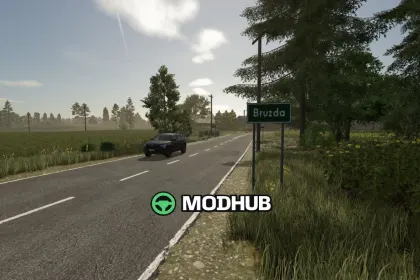
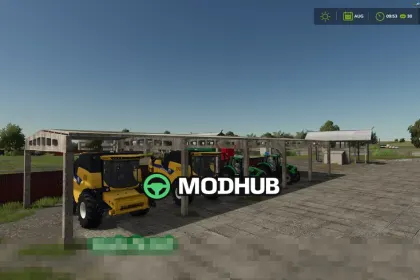
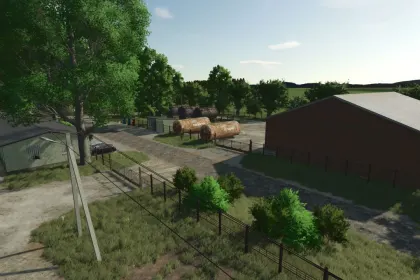
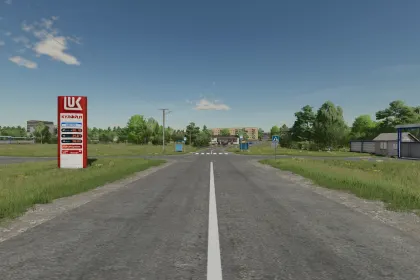
This is a Farming Simulator 25 map mod for PGR BRUZDA V1.4. It’s built in the well-known PGR style and, in version V1.4, is fully rebuilt compared to the previous release. The update focuses on new crops and production content, plus reworked harvesting support and expanded animal systems. It’s designed for players who want a large, living Polish-style farming world with production chains and detailed logistics.
• 37 medium and large arable fields, plus a few smaller plots
• 54 farmlands
• 3 ready farms: crops/animals (cows, horses, chickens), sheep pasture farm, and pig breeding farm
• Each farm building area can be sold individually (clean up and create your own layout)
• 15 production points: meat processing, sawmill, food production, pulp, brewery, dairy and more
• Biogas plant and separate food & construction warehouse
• Custom soil map for Precision Farming and realistic terrain behavior (360° ground, 255 angles)
Version V1.4 also adds the correct new fill types and improves several map systems for smoother gameplay. Road and lighting work includes better forest roads, dirt roads and asphalt roads, along with improved decorative vegetation painting and overall climate settings. Crop yields and prices were adjusted, and additional factory products were integrated, so production and planning feel more varied.
On the gameplay side, you get road traffic, traffic lights at intersections, pedestrian traffic, transport orders, rock removal orders and tree-cutting orders. The animal feeding is non-standard, with autonomous pastures included. The map offers many custom crop options (including winter/spring wheat split) and supports all DLC add-ons and Precision Farming for compatible production and field workflows.
About PGR BRUZDA V1.4 for FS25
PGR BRUZDA V1.4 for FS25 is a mod for Farming Simulator 25. Check the author description, supported game version and dependencies before installing.
How to install the mod
Follow the installation instructions for PGR BRUZDA V1.4 for FS25, Farming Simulator 25 and your platform.
Download the mod archive using the Download button and read the author instructions.
On PC, copy the mod ZIP without extracting it to Documents/My Games/FarmingSimulator2025/mods. For a bundle, extract the individual mod ZIPs first. macOS and Microsoft Store paths may differ; check Mod Directory in the game log.txt.
Start the game and enable the mod for the selected save or profile, if required.
Test using a backup or a new save. Install any dependencies listed by the author.
System requirements and compatibility
Check the mod description for supported game versions, required DLC and platforms. Compatibility with every version or other mods is not guaranteed. Farming Simulator script mods are for PC/macOS. Console players can only install compatible mods from the in-game GIANTS ModHub.
Frequently asked questions
Is this mod free?
MODHUB does not charge for access to this mod page. Check the terms and download limits of the external file provider.
Can I use this mod in Farming Simulator 25 multiplayer?
Multiplayer support depends on the mod and its author. If supported, the server and players need matching mod versions and required DLC.
What should I check if the mod does not work?
Check the installation folder, archive structure, supported game version, dependencies and game logs. Test the mod separately using a backup save.
How can I check a downloaded mod?
Use trusted author sources, scan the archive and back up your saves. Do not run unrelated installers; a download listing does not guarantee safety or compatibility.