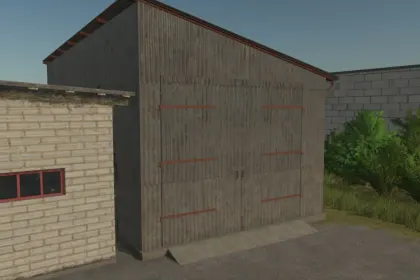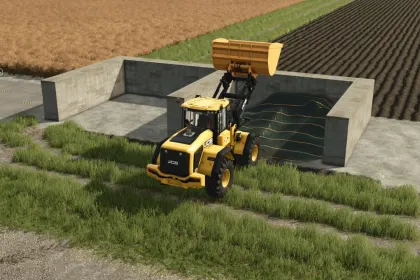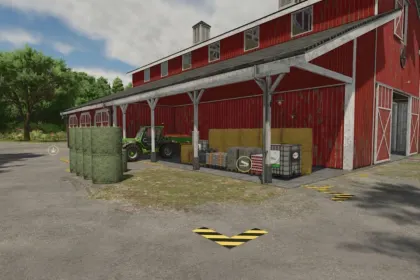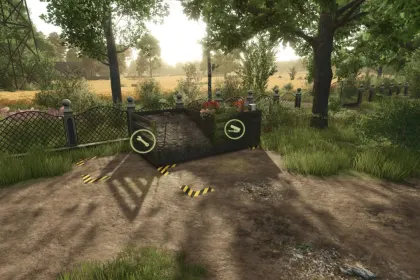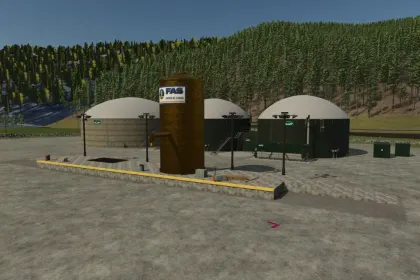
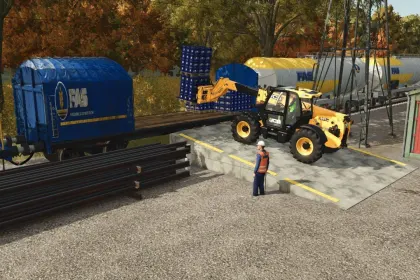
The FAS Station Pack is a set of four railway buildings for Farming Simulator 25 that enables full rail logistics on the farm. The intermodal terminal, measuring 40 by 16 meters at a height of 1.60 meters, is designed for loading and unloading vehicles and goods onto railcars at the end of the track. Platforms with a canopy, benches, clock, waiting room and lights that turn on automatically at night are available in three sizes — 20, 36 and 40 meters — along with three ramps 3, 6 and 8 meters wide. The loading platform with a 2,500,000-liter silo allows bulk unloading into the pit and loading of wagons via the pipe over the track, while the FAS Parcel warehouse of 75 m² features rail and truck docks, shelving for 10,000 items and lighting for nighttime operation.
• Intermodal terminal with push-button sliding platform, buffers, railings and four 13-meter floodlight towers.
• Three concrete platforms with canopy, benches, clock, waiting room and automatic night lighting.
• Loading platform with a 2,500,000-liter silo for bulk materials and wagon loading.
• FAS Parcel warehouse of 75 m² with opening doors, shelving for 10,000 items and forklift entry areas.
• Option to choose buildings with or without FAS logos in the store.
• Multiplayer support and no requirement for other mods.
The pack works in multiplayer, requires no other mods, and the locomotive and tracks shown in screenshots are not included.
Author: fas -ferrocarriles
About FAS Station Pack for Farming Simulator 25
FAS Station Pack for Farming Simulator 25 is a mod for Farming Simulator 25. Check the author description, supported game version and dependencies before installing.
How to install the mod
Follow the installation instructions for FAS Station Pack for Farming Simulator 25, Farming Simulator 25 and your platform.
Download the mod archive using the Download button and read the author instructions.
On PC, copy the mod ZIP without extracting it to Documents/My Games/FarmingSimulator2025/mods. For a bundle, extract the individual mod ZIPs first. macOS and Microsoft Store paths may differ; check Mod Directory in the game log.txt.
Start the game and enable the mod for the selected save or profile, if required.
Test using a backup or a new save. Install any dependencies listed by the author.
System requirements and compatibility
Check the mod description for supported game versions, required DLC and platforms. Compatibility with every version or other mods is not guaranteed. Farming Simulator script mods are for PC/macOS. Console players can only install compatible mods from the in-game GIANTS ModHub.
Frequently asked questions
Is this mod free?
MODHUB does not charge for access to this mod page. Check the terms and download limits of the external file provider.
Can I use this mod in Farming Simulator 25 multiplayer?
Multiplayer support depends on the mod and its author. If supported, the server and players need matching mod versions and required DLC.
What should I check if the mod does not work?
Check the installation folder, archive structure, supported game version, dependencies and game logs. Test the mod separately using a backup save.
How can I check a downloaded mod?
Use trusted author sources, scan the archive and back up your saves. Do not run unrelated installers; a download listing does not guarantee safety or compatibility.