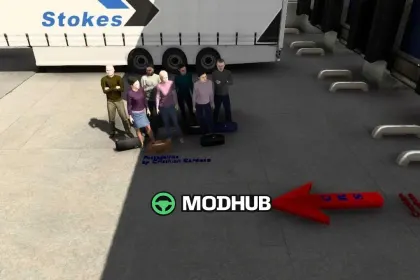
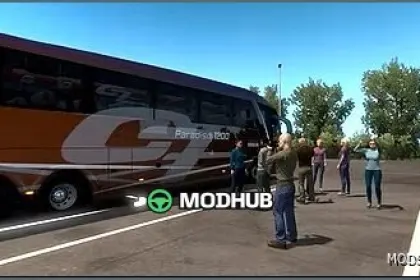
Passenger Mod v1.60 is a modification for Euro Truck Simulator 2 that adds passengers across various in-game locations. It targets multiple ETS2 companies and map areas to make your trips feel more alive and to expand what you can do through quick jobs and the freight market.
• Version: v1.60 (for Euro Truck Simulator 2)
• Passenger locations: EAA, EBR, Rotas Brasil, Eldorado, Bahia, Sul-Parana, RC Brasil, Brasilzao, Elite da Rodagem, Ceibo, Vanessa Pashmina, Grand Utopia and Promods
• Where passengers show up: quick jobs and the freight market
• Parking tips: easy parking or automatic parking are recommended
• Notes on behavior: this mod is adapted from a trailer, so minor issues may occur
If passengers don’t appear, the mod suggests advancing time (sleep, F7 + enter, or quick travel). When a trailer spawns in the same spot as the passengers, you can use camera 0 + ctrl F9 or F7 + enter to access the workshop view and resolve the overlap.
About Passenger Mod v1.60 for ETS2
Passenger Mod v1.60 for ETS2 is a mod for Euro Truck Simulator 2. Check the author description, supported game version and dependencies before installing.
How to install the mod
Follow the installation instructions for Passenger Mod v1.60 for ETS2, Euro Truck Simulator 2 and your platform.
Download the mod archive using the Download button and read the author instructions.
Use the folder and archive format specified by the mod author for this game.
Start the game and enable the mod for the selected save or profile, if required.
Test using a backup or a new save. Install any dependencies listed by the author.
System requirements and compatibility
Check the mod description for supported game versions, required DLC and platforms. Compatibility with every version or other mods is not guaranteed.
Frequently asked questions
Is this mod free?
MODHUB does not charge for access to this mod page. Check the terms and download limits of the external file provider.
Can I use this mod in Euro Truck Simulator 2 multiplayer?
Multiplayer support depends on the mod and its author. If supported, the server and players need matching mod versions and required DLC.
What should I check if the mod does not work?
Check the installation folder, archive structure, supported game version, dependencies and game logs. Test the mod separately using a backup save.
How can I check a downloaded mod?
Use trusted author sources, scan the archive and back up your saves. Do not run unrelated installers; a download listing does not guarantee safety or compatibility.