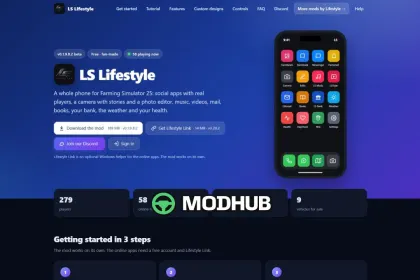
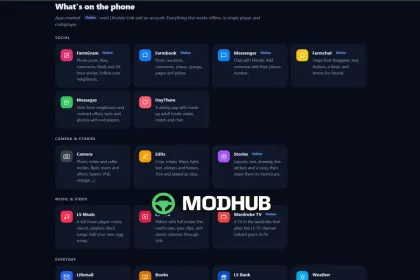
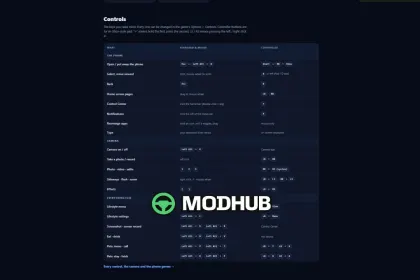
LS Lifestyle V1.0 is a gameplay mod for Farming Simulator 25 that adds a virtual smartphone packed with dozens of apps. The phone opens with Esc or Left Alt + O and fully replaces the pause menu, while the normal menu becomes the "Classic menu" app. It includes a camera with stories and a photo editor, music, videos, books, mail, banking, finances, health, needs, weather, contracts, a shop and phone games. On top of that, the mod lets you customise your character and works both offline in single player and in multiplayer.
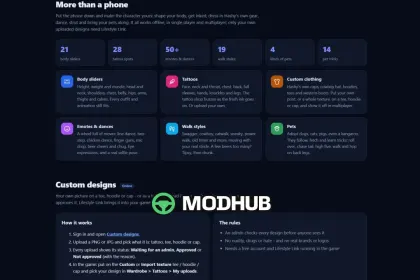
• 28 tattoo spots, from face and neck to full sleeves and knuckles
• 50+ emotes and dances: line dance, two-step, mic drop, beer cheers and selfie pose
• 19 walk styles including swagger, cowboy, catwalk, sneaky and old timer
• Custom clothing: caps, cowboy hat, hoodies, tees and western boots
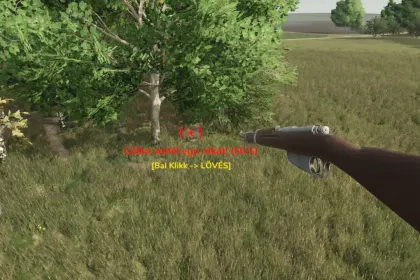
• Pets such as dogs, cats, pigs and even a kangaroo, with 14 tricks to learn
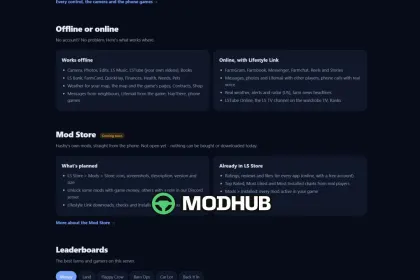
• Optional online apps FarmGram, Farmbook, Messenger and Reels run through the free Lifestyle Link helper
Install the mod by dropping HS25_Lifestyle_Mod.zip into the mods folder, and remember this is beta version 0.1.9.7, so some rough edges are expected.
About LS Lifestyle V1.0 mod for FS25
LS Lifestyle V1.0 mod for FS25 is a mod for Farming Simulator 25. Check the author description, supported game version and dependencies before installing.
How to install the mod
Follow the installation instructions for LS Lifestyle V1.0 mod for FS25, Farming Simulator 25 and your platform.
Download the mod archive using the Download button and read the author instructions.
On PC, copy the mod ZIP without extracting it to Documents/My Games/FarmingSimulator2025/mods. For a bundle, extract the individual mod ZIPs first. macOS and Microsoft Store paths may differ; check Mod Directory in the game log.txt.
Start the game and enable the mod for the selected save or profile, if required.
Test using a backup or a new save. Install any dependencies listed by the author.
System requirements and compatibility
Check the mod description for supported game versions, required DLC and platforms. Compatibility with every version or other mods is not guaranteed. Farming Simulator script mods are for PC/macOS. Console players can only install compatible mods from the in-game GIANTS ModHub.
Frequently asked questions
Is this mod free?
MODHUB does not charge for access to this mod page. Check the terms and download limits of the external file provider.
Can I use this mod in Farming Simulator 25 multiplayer?
Multiplayer support depends on the mod and its author. If supported, the server and players need matching mod versions and required DLC.
What should I check if the mod does not work?
Check the installation folder, archive structure, supported game version, dependencies and game logs. Test the mod separately using a backup save.
How can I check a downloaded mod?
Use trusted author sources, scan the archive and back up your saves. Do not run unrelated installers; a download listing does not guarantee safety or compatibility.