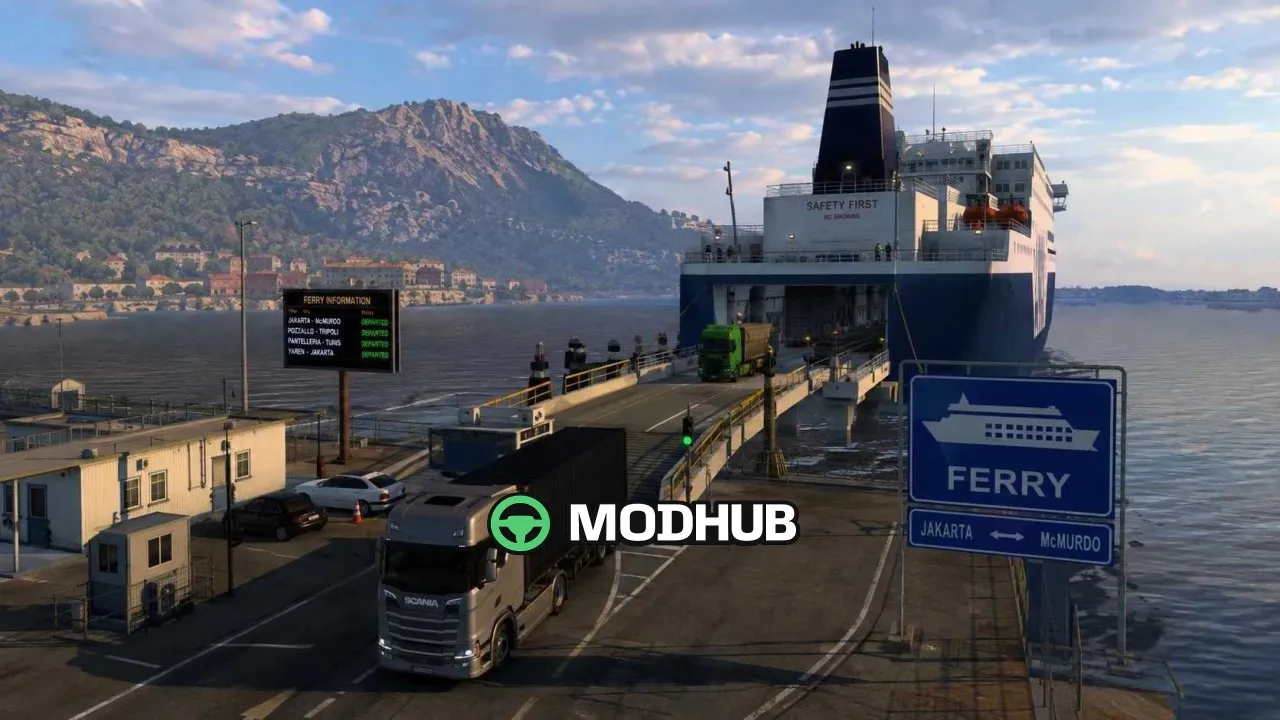
Ferry Adjuster is a ferry route adjustment mod for Euro Truck Simulator 2, built specifically for the hi sora's Map Combo. It removes many long-distance and similarly repeated ferry connections that disrupt realistic long-haul driving. In their place, necessary ferry routes are added in line with the logic of the hi sora combo. The mod is highly recommended to be used together with that map combination.
• Removed numerous overly long and duplicated ferry lines
• Added necessary ferry routes based on hi sora's Map Combo
• In v1.1.1 the Korsakov – Magadan route was removed at players' request
• Place it at the top of the Mod Manager list
• Aimed at truckers who want to always be on the road
Overall, this is a compact add-on that makes the combo's ferry network cleaner and more convenient for long journeys.
About Ferry Adjuster for hi sora's Map Combo v1.1.1 ETS2
Ferry Adjuster for hi sora's Map Combo v1.1.1 ETS2 is a mod for Euro Truck Simulator 2. Check the author description, supported game version and dependencies before installing.
How to install the mod
Follow the installation instructions for Ferry Adjuster for hi sora's Map Combo v1.1.1 ETS2, Euro Truck Simulator 2 and your platform.
Download the mod archive using the Download button and read the author instructions.
Use the folder and archive format specified by the mod author for this game.
Start the game and enable the mod for the selected save or profile, if required.
Test using a backup or a new save. Install any dependencies listed by the author.
System requirements and compatibility
Check the mod description for supported game versions, required DLC and platforms. Compatibility with every version or other mods is not guaranteed.
Frequently asked questions
Is this mod free?
MODHUB does not charge for access to this mod page. Check the terms and download limits of the external file provider.
Can I use this mod in Euro Truck Simulator 2 multiplayer?
Multiplayer support depends on the mod and its author. If supported, the server and players need matching mod versions and required DLC.
What should I check if the mod does not work?
Check the installation folder, archive structure, supported game version, dependencies and game logs. Test the mod separately using a backup save.
How can I check a downloaded mod?
Use trusted author sources, scan the archive and back up your saves. Do not run unrelated installers; a download listing does not guarantee safety or compatibility.