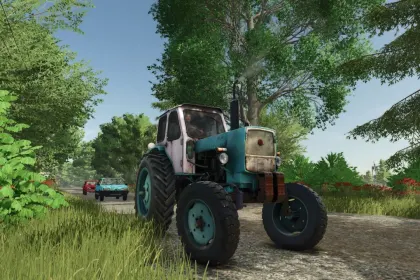
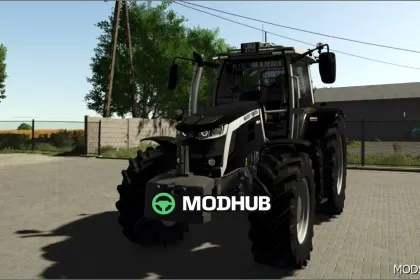
Meet the Fendt Dieselross F25 in Farming Simulator 25 — a recognizable representative of the legendary Fendt series, perfect for small and medium-sized farms 🚜✅
This compact tractor with a 2-cylinder MWM engine will be a reliable assistant for various tasks: farm work, light field operations, and daily transport. Choose settings that suit your play style and create your own unique configuration.
Manufacturer: Fendt
Model: Dieselross F25
Store category: compact tractors
Available configurations:
• Convertible top
• Passenger seat (options)
• Mirrors (options)
• Decorative stripe (options)
• Steering wheel (options)
• "Claws"/grabs (options)
• Hood grille color selection
• "Claws"/grabs color selection
If you're looking for an atmospheric retro tractor for a realistic farm — the Dieselross F25 is definitely worth a place in your fleet ✅
About Legendary Tractor Fendt Dieselross F25 — Classic for Small and Medium Farms in FS25
Legendary Tractor Fendt Dieselross F25 — Classic for Small and Medium Farms in FS25 is a mod for Farming Simulator 25. Check the author description, supported game version and dependencies before installing.
How to install the mod
Follow the installation instructions for Legendary Tractor Fendt Dieselross F25 — Classic for Small and Medium Farms in FS25, Farming Simulator 25 and your platform.
Download the mod archive using the Download button and read the author instructions.
On PC, copy the mod ZIP without extracting it to Documents/My Games/FarmingSimulator2025/mods. For a bundle, extract the individual mod ZIPs first. macOS and Microsoft Store paths may differ; check Mod Directory in the game log.txt.
Start the game and enable the mod for the selected save or profile, if required.
Test using a backup or a new save. Install any dependencies listed by the author.
System requirements and compatibility
Check the mod description for supported game versions, required DLC and platforms. Compatibility with every version or other mods is not guaranteed. Farming Simulator script mods are for PC/macOS. Console players can only install compatible mods from the in-game GIANTS ModHub.
Frequently asked questions
Is this mod free?
MODHUB does not charge for access to this mod page. Check the terms and download limits of the external file provider.
Can I use this mod in Farming Simulator 25 multiplayer?
Multiplayer support depends on the mod and its author. If supported, the server and players need matching mod versions and required DLC.
What should I check if the mod does not work?
Check the installation folder, archive structure, supported game version, dependencies and game logs. Test the mod separately using a backup save.
How can I check a downloaded mod?
Use trusted author sources, scan the archive and back up your saves. Do not run unrelated installers; a download listing does not guarantee safety or compatibility.