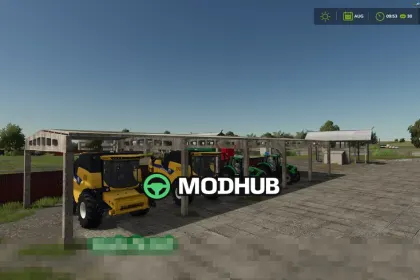
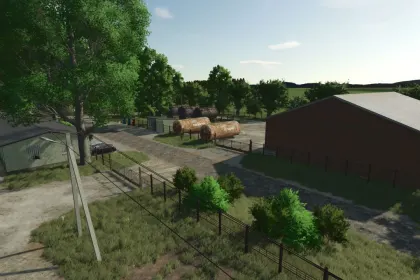
Monteriggioni for Farming Simulator 25 is an atmospheric Italian map inspired by the surroundings of the medieval town of Monteriggioni in Tuscany. Soft hills, cypress-lined roads, and stone walls create an authentic atmosphere for farming, building, and developing your own estate 🚜
The map is not an exact 1:1 reproduction but captures the character of the region: some locations are recreated with great attention to detail, while others are artistically imagined for better gameplay. At the start, most fields are sown with grains and grass, as is typical for Tuscany, but you can grow any crops on your land ✅
There are 129 plots available for purchase, including:
- 8 farms (partially removable; options with a small oil press or dairy farm)
- 78 fields (0.5–7 ha)
- 15 meadows
- 10 forest plots
- 6 empty plots for construction
- 5 olive groves
- 7 vineyards
What’s special about the Monteriggioni map:
- Multifruit crop set, including: spelt, triticale, rye, grain corn, green rye, vetch-rye mixture, field grass, silage corn, humus activator, and mustard as a cover crop
- Cypress trees added to the construction menu for decoration and creation
About Legendary Map Monteriggioni — Atmospheric Tuscany for Farming Simulator 25
Legendary Map Monteriggioni — Atmospheric Tuscany for Farming Simulator 25 is a mod for Farming Simulator 25. Check the author description, supported game version and dependencies before installing.
How to install the mod
Follow the installation instructions for Legendary Map Monteriggioni — Atmospheric Tuscany for Farming Simulator 25, Farming Simulator 25 and your platform.
Download the mod archive using the Download button and read the author instructions.
On PC, copy the mod ZIP without extracting it to Documents/My Games/FarmingSimulator2025/mods. For a bundle, extract the individual mod ZIPs first. macOS and Microsoft Store paths may differ; check Mod Directory in the game log.txt.
Start the game and enable the mod for the selected save or profile, if required.
Test using a backup or a new save. Install any dependencies listed by the author.
System requirements and compatibility
Check the mod description for supported game versions, required DLC and platforms. Compatibility with every version or other mods is not guaranteed. Farming Simulator script mods are for PC/macOS. Console players can only install compatible mods from the in-game GIANTS ModHub.
Frequently asked questions
Is this mod free?
MODHUB does not charge for access to this mod page. Check the terms and download limits of the external file provider.
Can I use this mod in Farming Simulator 25 multiplayer?
Multiplayer support depends on the mod and its author. If supported, the server and players need matching mod versions and required DLC.
What should I check if the mod does not work?
Check the installation folder, archive structure, supported game version, dependencies and game logs. Test the mod separately using a backup save.
How can I check a downloaded mod?
Use trusted author sources, scan the archive and back up your saves. Do not run unrelated installers; a download listing does not guarantee safety or compatibility.