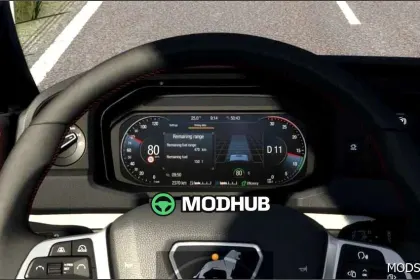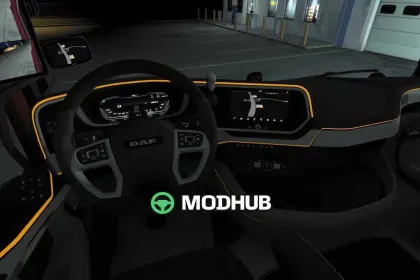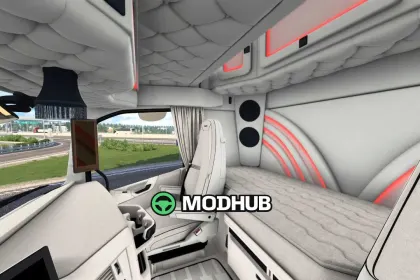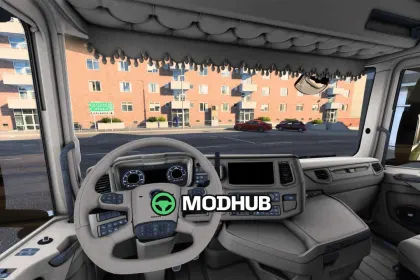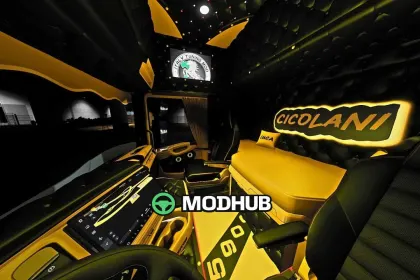
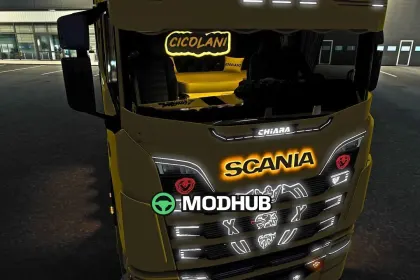
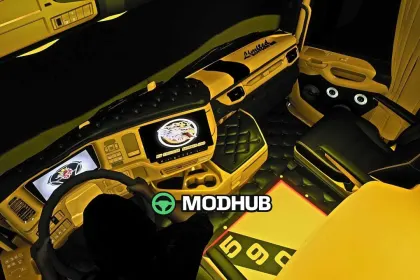
This interior mod for Euro Truck Simulator 2, Scania Interior v1.0, refreshes the cabin look and adds a premium feel to your driving experience. The update focuses on coherent details so the cockpit atmosphere stays consistent across routes.
• Version: v1.0 for ETS2
• Theme: yellow and black interior color scheme
• Materials: button-tufted leather padding for a realistic, upscale look
• Displays: custom screens with the Scania logo and “BY FRECCIA SCANIA 590” branding
• Door audio: speaker units integrated in the doors for immersive cabin sound
• Lighting: illuminated floor mats
From the driver’s seat, the contrasts help make controls and panels easier to visually distinguish. The tufted upholstery adds depth to the surfaces, while the branded screens give the cabin a distinct identity. The illuminated mats become especially noticeable during evening or night driving, adding a clean glow to the foot area.
Overall, Scania Interior v1.0 is a solid choice for players who want a more personalized and stylish Scania cabin in ETS2. It enhances immersion through visual detailing and a more complete cockpit presentation, without relying on flashy gimmicks.
About Scania Interior v1.0 for ETS2
Scania Interior v1.0 for ETS2 is a mod for Euro Truck Simulator 2. Check the author description, supported game version and dependencies before installing.
How to install the mod
Follow the installation instructions for Scania Interior v1.0 for ETS2, Euro Truck Simulator 2 and your platform.
Download the mod archive using the Download button and read the author instructions.
Use the folder and archive format specified by the mod author for this game.
Start the game and enable the mod for the selected save or profile, if required.
Test using a backup or a new save. Install any dependencies listed by the author.
System requirements and compatibility
Check the mod description for supported game versions, required DLC and platforms. Compatibility with every version or other mods is not guaranteed.
Frequently asked questions
Is this mod free?
MODHUB does not charge for access to this mod page. Check the terms and download limits of the external file provider.
Can I use this mod in Euro Truck Simulator 2 multiplayer?
Multiplayer support depends on the mod and its author. If supported, the server and players need matching mod versions and required DLC.
What should I check if the mod does not work?
Check the installation folder, archive structure, supported game version, dependencies and game logs. Test the mod separately using a backup save.
How can I check a downloaded mod?
Use trusted author sources, scan the archive and back up your saves. Do not run unrelated installers; a download listing does not guarantee safety or compatibility.