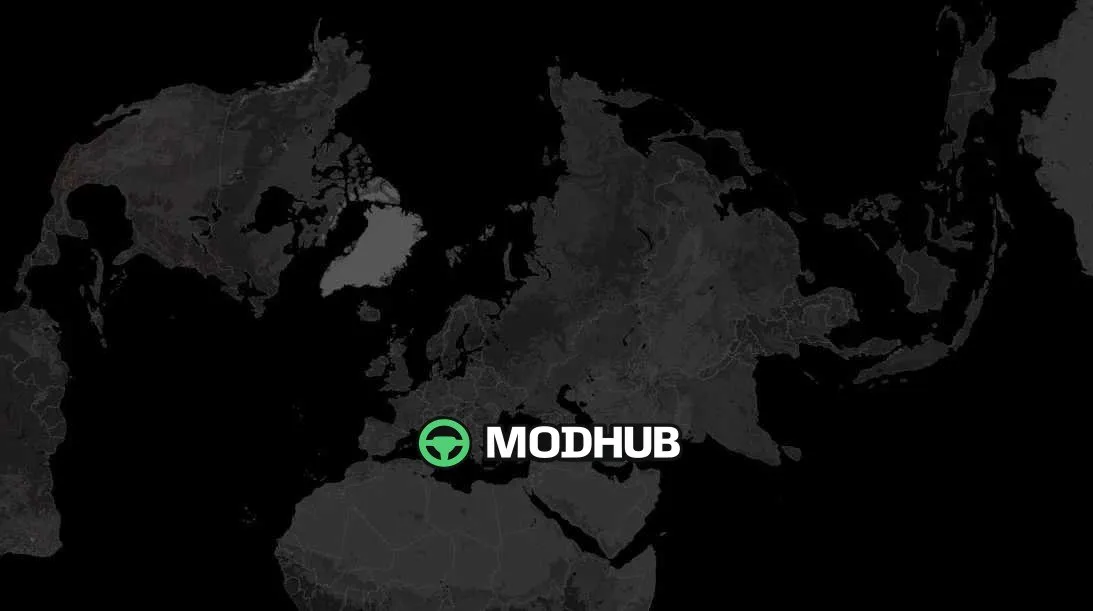
Global Background Map – Dark Version v2.9 is a background map for Euro Truck Simulator 2 that extends the visible territory far beyond the standard map. It provides full coverage of nearly the entire world, so long journeys look coherent even at wide zoom levels. The dark styling makes continent outlines and road lines stand out clearly and is easier on the eyes during long sessions. Version 2.9 has been updated for the Iceland DLC and includes several other adjustments for compatibility with other map mods.
• Full coverage of Africa, Europe and Asia together with Australia and New Zealand
• North America and South America added for a truly global map view
• Dark colour scheme with clear continent outlines and road network
• Updated for the Iceland DLC with adjustments for other map mods
• Set as an option mod in the manifest so it works in convoys
This background map does not change in-game roads, it only restyles the backdrop, so it can be combined with most other modifications.
Author: saltyleob
About Background Map Global Background Map – Dark Version v2.9 for ETS2
Background Map Global Background Map – Dark Version v2.9 for ETS2 is a mod for Euro Truck Simulator 2. Check the author description, supported game version and dependencies before installing.
How to install the mod
Follow the installation instructions for Background Map Global Background Map – Dark Version v2.9 for ETS2, Euro Truck Simulator 2 and your platform.
Download the mod archive using the Download button and read the author instructions.
Use the folder and archive format specified by the mod author for this game.
Start the game and enable the mod for the selected save or profile, if required.
Test using a backup or a new save. Install any dependencies listed by the author.
System requirements and compatibility
Check the mod description for supported game versions, required DLC and platforms. Compatibility with every version or other mods is not guaranteed.
Frequently asked questions
Is this mod free?
MODHUB does not charge for access to this mod page. Check the terms and download limits of the external file provider.
Can I use this mod in Euro Truck Simulator 2 multiplayer?
Multiplayer support depends on the mod and its author. If supported, the server and players need matching mod versions and required DLC.
What should I check if the mod does not work?
Check the installation folder, archive structure, supported game version, dependencies and game logs. Test the mod separately using a backup save.
How can I check a downloaded mod?
Use trusted author sources, scan the archive and back up your saves. Do not run unrelated installers; a download listing does not guarantee safety or compatibility.