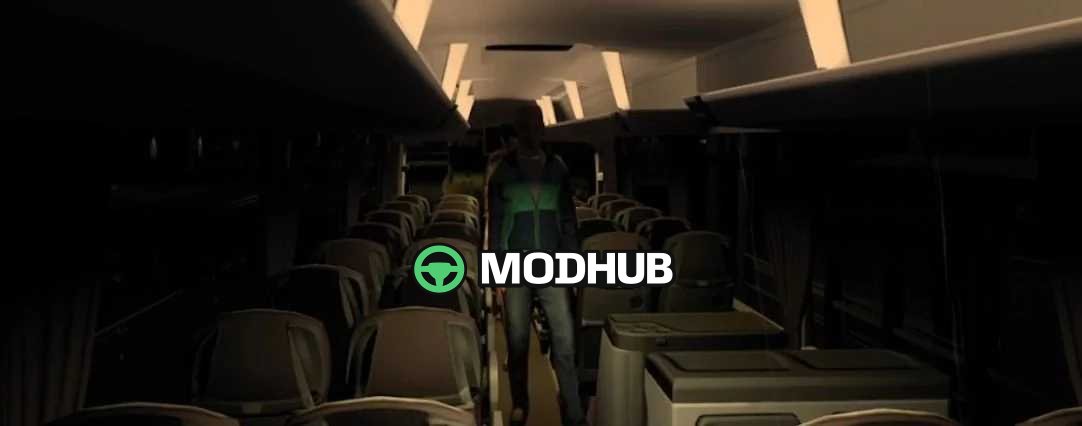
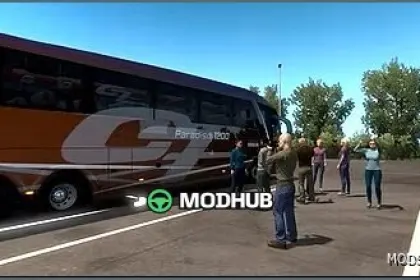
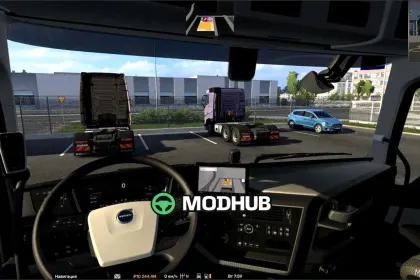
Animated Coach Boarding v1.0.6 is a mod for Euro Truck Simulator 2 that adds a complete passenger boarding scene to the coaches. Passengers step through the front door, walk down the aisle and take their seats while the camera follows them from the outside bay into the interior. Once boarding is complete, the camera returns to an exterior view and stays there until you select Drive. Exterior shots are framed for each boarding bay, and interior camera angles are adjusted for the floor height, aisle and seating layout of every coach.
• Works across all official ETS2 map DLCs.
• Designed for all three coach families in the Coaches DLC: Scania Touring, MAN Lion's Coach and Volvo 9700 DD.
• Requires the Coaches DLC.
• Version 1.0.6 Beta: refined passenger meshes, improved NPC designs and smoother animations when passengers climb the steps, turn in the aisle and sit down.
• More animation variety and a wider range of passenger NPCs, so faces change from trip to trip.
The mod focuses on a realistic boarding sequence and leaves the rest of the game untouched.
Author: Scrowzer
About Animated Coach Boarding v1.0.6 for ETS2
Animated Coach Boarding v1.0.6 for ETS2 is a mod for Euro Truck Simulator 2. Check the author description, supported game version and dependencies before installing.
How to install the mod
Follow the installation instructions for Animated Coach Boarding v1.0.6 for ETS2, Euro Truck Simulator 2 and your platform.
Download the mod archive using the Download button and read the author instructions.
Use the folder and archive format specified by the mod author for this game.
Start the game and enable the mod for the selected save or profile, if required.
Test using a backup or a new save. Install any dependencies listed by the author.
System requirements and compatibility
Check the mod description for supported game versions, required DLC and platforms. Compatibility with every version or other mods is not guaranteed.
Frequently asked questions
Is this mod free?
MODHUB does not charge for access to this mod page. Check the terms and download limits of the external file provider.
Can I use this mod in Euro Truck Simulator 2 multiplayer?
Multiplayer support depends on the mod and its author. If supported, the server and players need matching mod versions and required DLC.
What should I check if the mod does not work?
Check the installation folder, archive structure, supported game version, dependencies and game logs. Test the mod separately using a backup save.
How can I check a downloaded mod?
Use trusted author sources, scan the archive and back up your saves. Do not run unrelated installers; a download listing does not guarantee safety or compatibility.