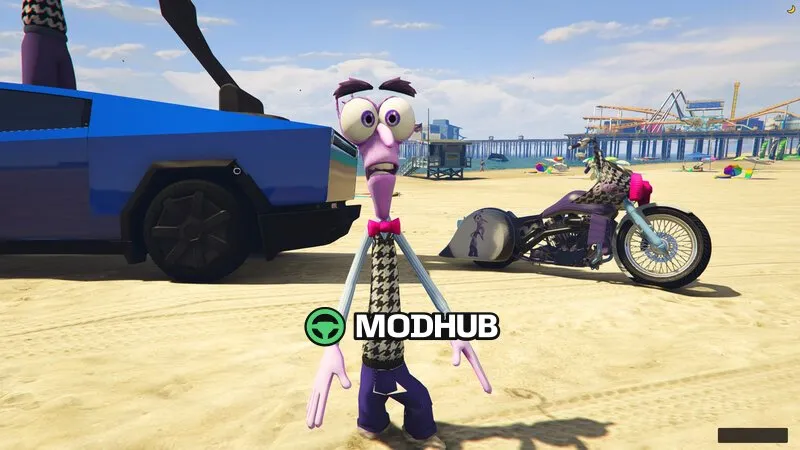
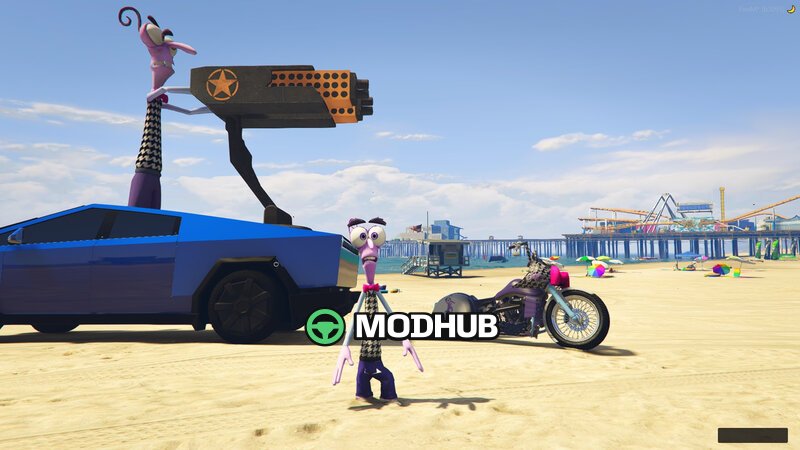
This skin mod for GTA 5 adds the character Fear from “Inside Out 2” and supports it via Add-On Ped. The goal is to give you a fresh, recognizable look for roleplay sessions while keeping the visuals sharp and consistent during gameplay.
• Type: character skins (Add-On Ped)
• Character: Fear from “Inside Out 2”
• Visual focus: detailed textures and proper materials
• Use: replace/add NPCs through Add-On Ped
The skin stays faithful to the original design and remains easy to read at different camera distances, including when characters move around the city. It’s a good fit for players who want more variety without affecting GTA 5’s core mechanics.
Before installing, make sure your setup meets the Add-On Ped requirements so the model loads correctly. If you use multiple character skins, check for slot/content conflicts to prevent issues during game startup.
About Tractor John Deere 8R for GTA 5
Tractor John Deere 8R for GTA 5 is a mod for GTA 5. Check the author description, supported game version and dependencies before installing.
How to install the mod
Follow the installation instructions for Tractor John Deere 8R for GTA 5, GTA 5 and your platform.
Download the mod archive using the Download button and read the author instructions.
Use the folder and archive format specified by the mod author for this game.
Start the game and enable the mod for the selected save or profile, if required.
Test using a backup or a new save. Install any dependencies listed by the author.
System requirements and compatibility
Check the mod description for supported game versions, required DLC and platforms. Compatibility with every version or other mods is not guaranteed.
Frequently asked questions
Is this mod free?
MODHUB does not charge for access to this mod page. Check the terms and download limits of the external file provider.
Can I use this mod in GTA 5 multiplayer?
Multiplayer support depends on the mod and its author. If supported, the server and players need matching mod versions and required DLC.
What should I check if the mod does not work?
Check the installation folder, archive structure, supported game version, dependencies and game logs. Test the mod separately using a backup save.
How can I check a downloaded mod?
Use trusted author sources, scan the archive and back up your saves. Do not run unrelated installers; a download listing does not guarantee safety or compatibility.