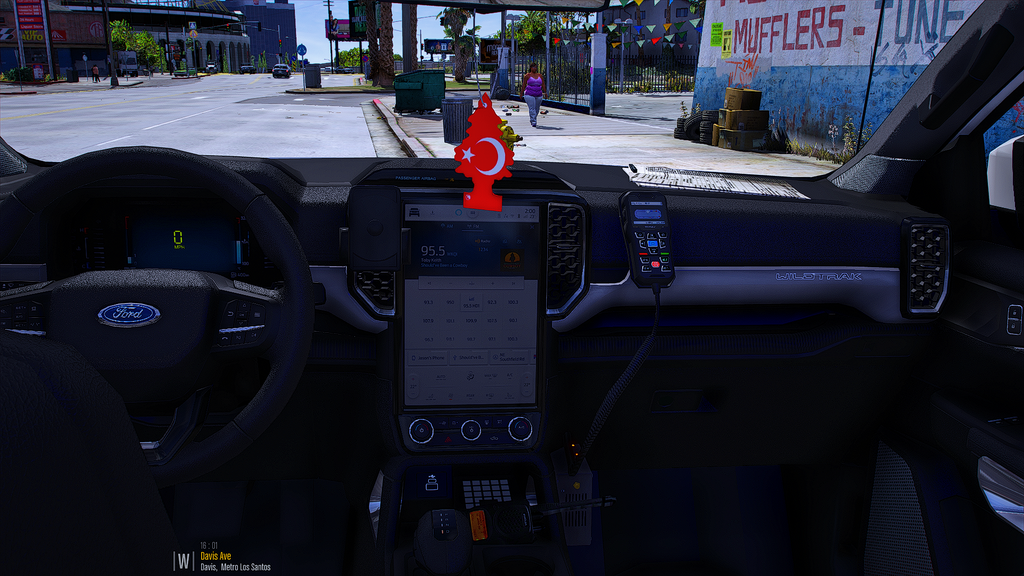
The Ford Ranger Trafik is a pickup truck added to GTA 5 as a standalone vehicle. The model recreates the distinctive look of the modern Ranger with a double cab and a short cargo bed. The body features detailed bumpers, a grille and lighting, along with realistic paint and chrome materials. The interior includes a separate dashboard, steering wheel and seats that match the original cabin.
• Engine power — 213 hp from a 2.0-litre twin-turbo diesel
• Torque — 500 Nm for confident traction off the road
• Drivetrain — all-wheel drive with modes for dirt, sand and snow
• Features — working headlights, taillights, mirrors and animated doors
• Extras — configurable body colours, window tint and off-road tyres
The model works correctly with the damage system and supports additional visual modifications.
About Ford Ranger Trafik for GTA 5
Ford Ranger Trafik for GTA 5 is a mod for GTA 5. Check the author description, supported game version and dependencies before installing.
How to install the mod
Follow the installation instructions for Ford Ranger Trafik for GTA 5, GTA 5 and your platform.
Download the mod archive using the Download button and read the author instructions.
Use the folder and archive format specified by the mod author for this game.
Start the game and enable the mod for the selected save or profile, if required.
Test using a backup or a new save. Install any dependencies listed by the author.
System requirements and compatibility
Check the mod description for supported game versions, required DLC and platforms. Compatibility with every version or other mods is not guaranteed.
Frequently asked questions
Is this mod free?
MODHUB does not charge for access to this mod page. Check the terms and download limits of the external file provider.
Can I use this mod in GTA 5 multiplayer?
Multiplayer support depends on the mod and its author. If supported, the server and players need matching mod versions and required DLC.
What should I check if the mod does not work?
Check the installation folder, archive structure, supported game version, dependencies and game logs. Test the mod separately using a backup save.
How can I check a downloaded mod?
Use trusted author sources, scan the archive and back up your saves. Do not run unrelated installers; a download listing does not guarantee safety or compatibility.