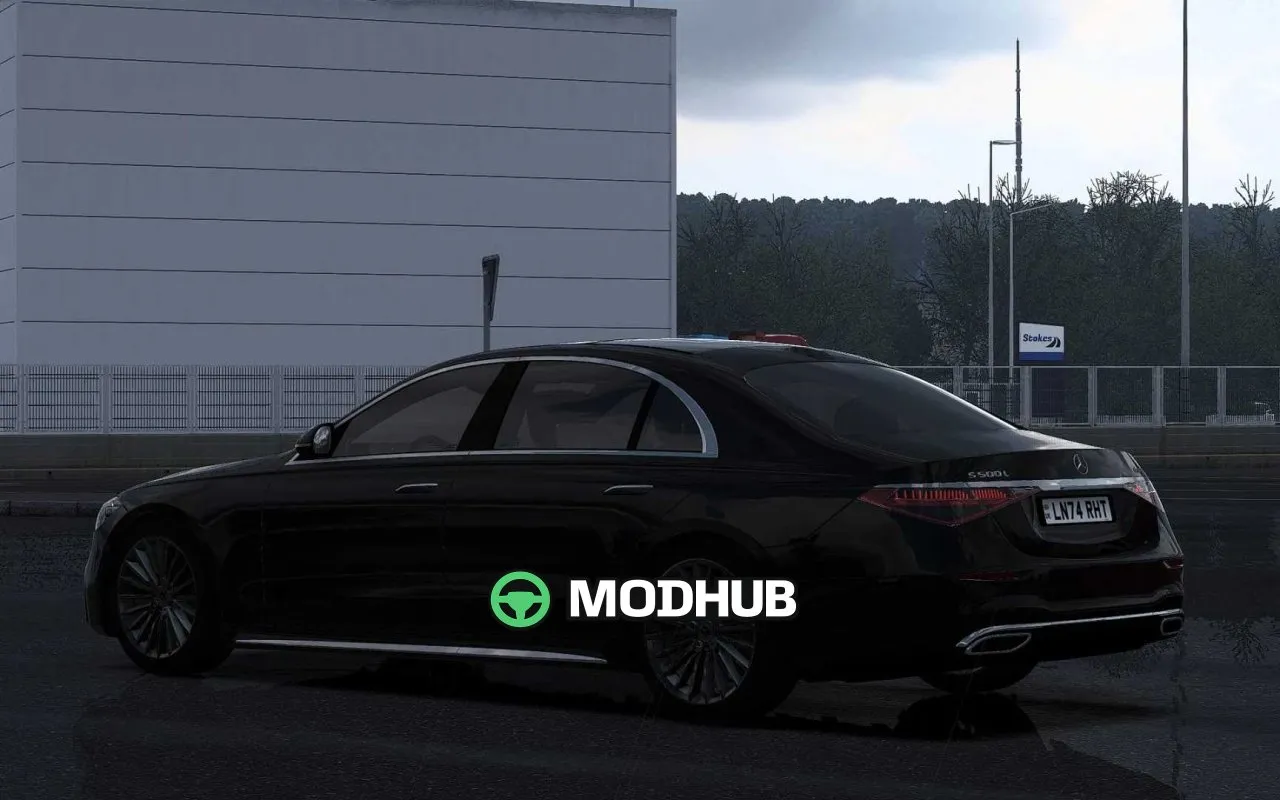

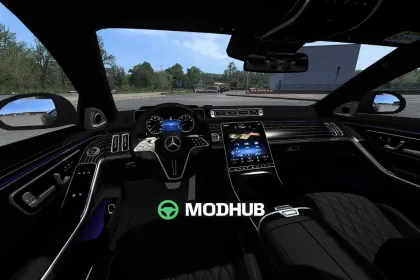

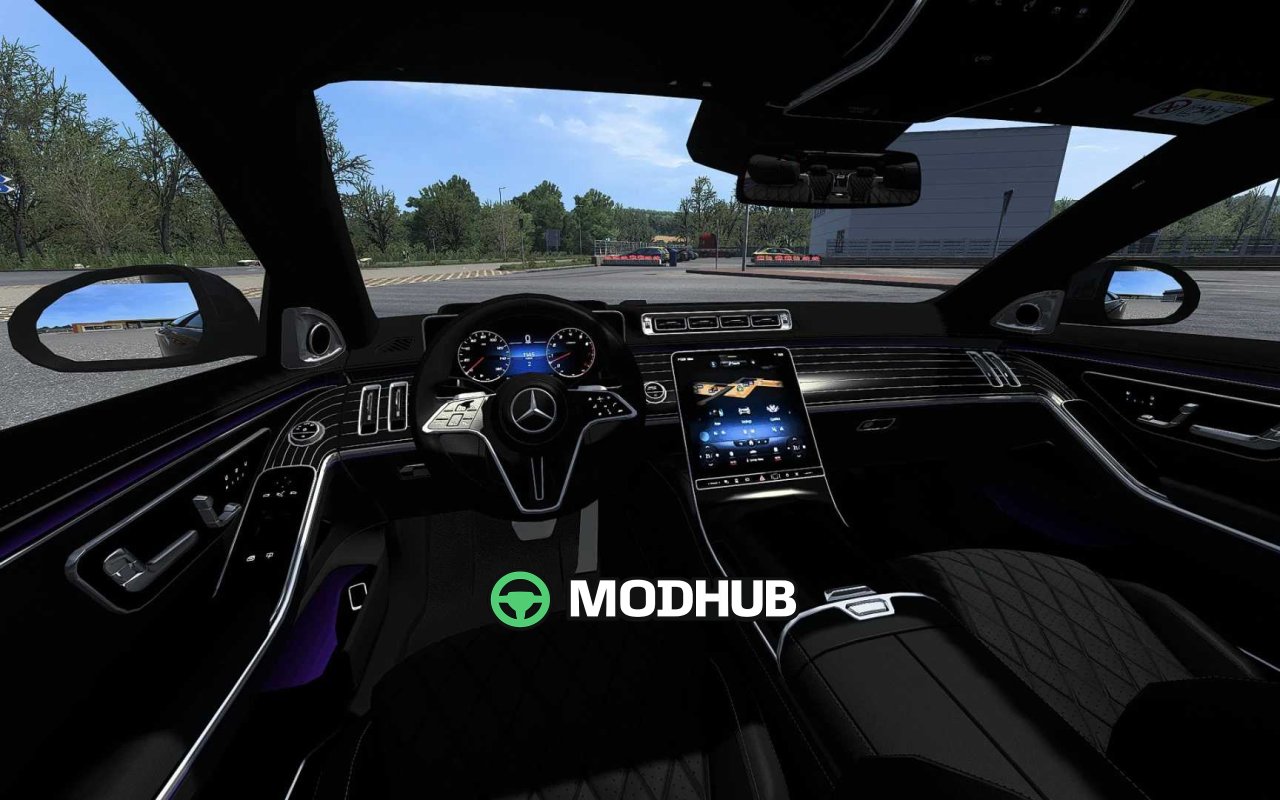

The Mercedes-Benz W223 S-Class V2.5 is a passenger car mod for Euro Truck Simulator 2 that adds a luxury sedan to the game. It comes with a custom UI featuring a digital speedometer in km/h and functional misc information. Driveability is rated as excellent, and the front windows can be opened. The wipers work accurately and the indicator stalk has its own animation.
• Realistic engine and transmission configuration, with 0-100, 0-200 and 0-250 km/h timings very close to the real-life counterpart
• Five types of rims to choose from
• Partially realistic sound, with comfort sound enabled by holding the assigned lighthorn hotkey for one full second
• Can be attached with a compatible trailer
• Updated to game version 1.62
The mod suits players who want to break up cargo routes with drives in a well-detailed executive sedan.
About Car Mercedes-Benz W223 S-Class V2.5 for ETS2
Car Mercedes-Benz W223 S-Class V2.5 for ETS2 is a mod for Euro Truck Simulator 2. Check the author description, supported game version and dependencies before installing.
How to install the mod
Follow the installation instructions for Car Mercedes-Benz W223 S-Class V2.5 for ETS2, Euro Truck Simulator 2 and your platform.
Download the mod archive using the Download button and read the author instructions.
Use the folder and archive format specified by the mod author for this game.
Start the game and enable the mod for the selected save or profile, if required.
Test using a backup or a new save. Install any dependencies listed by the author.
System requirements and compatibility
Check the mod description for supported game versions, required DLC and platforms. Compatibility with every version or other mods is not guaranteed.
Frequently asked questions
Is this mod free?
MODHUB does not charge for access to this mod page. Check the terms and download limits of the external file provider.
Can I use this mod in Euro Truck Simulator 2 multiplayer?
Multiplayer support depends on the mod and its author. If supported, the server and players need matching mod versions and required DLC.
What should I check if the mod does not work?
Check the installation folder, archive structure, supported game version, dependencies and game logs. Test the mod separately using a backup save.
How can I check a downloaded mod?
Use trusted author sources, scan the archive and back up your saves. Do not run unrelated installers; a download listing does not guarantee safety or compatibility.