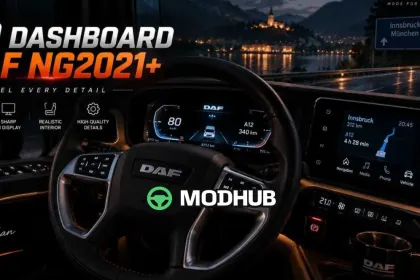
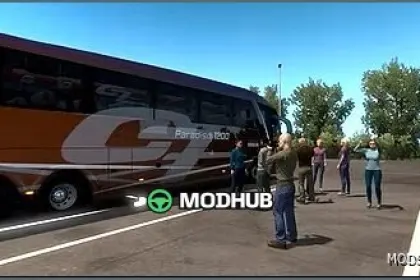
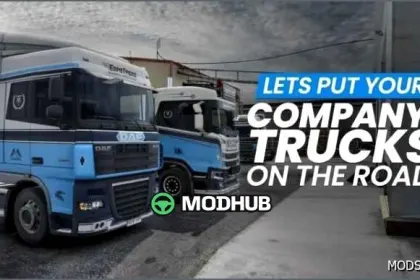
The DAF NG2021+ v2.15 dashboard is an interface modification for new-generation DAF trucks in Euro Truck Simulator 2. After extensive work and testing, the dashboard was fully redesigned to deliver a cleaner, sharper and more modern experience. All key information stays easy to read while driving. The goal was to give the original DAF 2021 dashboard a more detailed, polished look while preserving the character of the truck.
• Larger dashboard text and improved symbols for average and instant fuel consumption
• New visual elements such as a speed limit indicator and a refill marker
• High quality edges and main symbols in both EU and UK versions
• Added speed and RPM indicators plus fuel and AdBlue bars
• Blind spot indicators in the mirrors and Android Auto CoolWalk navigation
Google Maps dark navigation and the DAF 2021 Reworked by Jasper add-on are supported, and version 2.15 fixes the mirror display inside the cabin.
About High Quality Dashboard DAF NG2021+ v2.15 for ETS2
High Quality Dashboard DAF NG2021+ v2.15 for ETS2 is a mod for Euro Truck Simulator 2. Check the author description, supported game version and dependencies before installing.
How to install the mod
Follow the installation instructions for High Quality Dashboard DAF NG2021+ v2.15 for ETS2, Euro Truck Simulator 2 and your platform.
Download the mod archive using the Download button and read the author instructions.
Use the folder and archive format specified by the mod author for this game.
Start the game and enable the mod for the selected save or profile, if required.
Test using a backup or a new save. Install any dependencies listed by the author.
System requirements and compatibility
Check the mod description for supported game versions, required DLC and platforms. Compatibility with every version or other mods is not guaranteed.
Frequently asked questions
Is this mod free?
MODHUB does not charge for access to this mod page. Check the terms and download limits of the external file provider.
Can I use this mod in Euro Truck Simulator 2 multiplayer?
Multiplayer support depends on the mod and its author. If supported, the server and players need matching mod versions and required DLC.
What should I check if the mod does not work?
Check the installation folder, archive structure, supported game version, dependencies and game logs. Test the mod separately using a backup save.
How can I check a downloaded mod?
Use trusted author sources, scan the archive and back up your saves. Do not run unrelated installers; a download listing does not guarantee safety or compatibility.