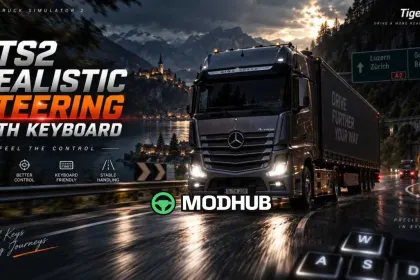
Realistic Steering with Keyboard v4.0.22 is a steering modification for Euro Truck Simulator 2 aimed at players who drive with a keyboard. It changes the way steering input is translated into wheel movement, making it more progressive and controlled. As a result, corners at higher speeds can be taken smoothly, while sudden steering jerks that cause the truck to lose stability are noticeably reduced. The effect is especially clear when realistic suspension settings are enabled.
• Compatibility: all default trucks in the game plus modded trucks, with no truck-specific patches required
• Load order: high priority, above all other mods in the Mod Manager
• Recommended steering sensitivity: 0.75 for the intended behaviour
• Update: adapted for game version 1.61.x
The sensitivity value can be adjusted slightly to suit your own driving style while keeping steering smooth and predictable.
About Realistic Steering with Keyboard v4.0.22 for ETS2
Realistic Steering with Keyboard v4.0.22 for ETS2 is a mod for Euro Truck Simulator 2. Check the author description, supported game version and dependencies before installing.
How to install the mod
Follow the installation instructions for Realistic Steering with Keyboard v4.0.22 for ETS2, Euro Truck Simulator 2 and your platform.
Download the mod archive using the Download button and read the author instructions.
Use the folder and archive format specified by the mod author for this game.
Start the game and enable the mod for the selected save or profile, if required.
Test using a backup or a new save. Install any dependencies listed by the author.
System requirements and compatibility
Check the mod description for supported game versions, required DLC and platforms. Compatibility with every version or other mods is not guaranteed.
Frequently asked questions
Is this mod free?
MODHUB does not charge for access to this mod page. Check the terms and download limits of the external file provider.
Can I use this mod in Euro Truck Simulator 2 multiplayer?
Multiplayer support depends on the mod and its author. If supported, the server and players need matching mod versions and required DLC.
What should I check if the mod does not work?
Check the installation folder, archive structure, supported game version, dependencies and game logs. Test the mod separately using a backup save.
How can I check a downloaded mod?
Use trusted author sources, scan the archive and back up your saves. Do not run unrelated installers; a download listing does not guarantee safety or compatibility.