Watermelon Beach (Arab beach, Egyptian vibe) for GTA 5
3 105 v1.0 11.10.2026
1 / 6
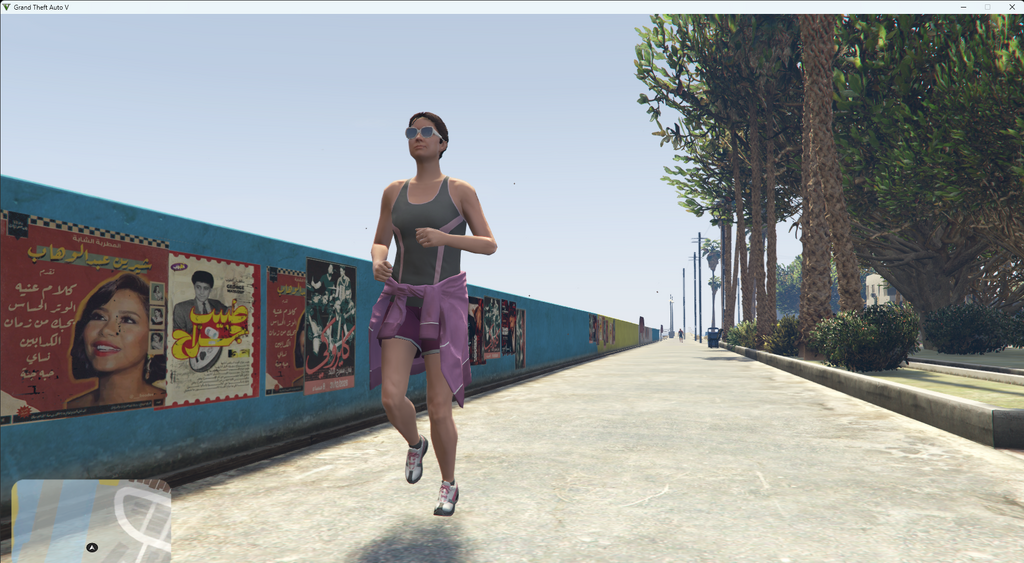
Watermelon Beach is a beach modification for GTA 5 that creates an Arab beach with an Egyptian vibe. The location includes palm trees, sand dunes, and structures reminiscent of Egyptian temples and markets. It adds new visual elements such as decorative tents, statues, and water features. This mod is designed for players who want to diversify the landscapes of Los Santos.
• Beach area: approximately 500 square meters.
• Number of new objects: over 30 unique models.
• Single-player and FiveM support.
• Compatibility with most graphics mods.
The mod is also optimized for performance without affecting frame rate.
About Watermelon Beach (Arab beach, Egyptian vibe) for GTA 5
Watermelon Beach (Arab beach, Egyptian vibe) for GTA 5 is a mod for GTA 5. Check the author description, supported game version and dependencies before installing.
How to install the mod
Follow the installation instructions for Watermelon Beach (Arab beach, Egyptian vibe) for GTA 5, GTA 5 and your platform.
Download the mod archive using the Download button and read the author instructions.
Use the folder and archive format specified by the mod author for this game.
Start the game and enable the mod for the selected save or profile, if required.
Test using a backup or a new save. Install any dependencies listed by the author.
System requirements and compatibility
Check the mod description for supported game versions, required DLC and platforms. Compatibility with every version or other mods is not guaranteed.
Frequently asked questions
Is this mod free?
MODHUB does not charge for access to this mod page. Check the terms and download limits of the external file provider.
Can I use this mod in GTA 5 multiplayer?
Multiplayer support depends on the mod and its author. If supported, the server and players need matching mod versions and required DLC.
What should I check if the mod does not work?
Check the installation folder, archive structure, supported game version, dependencies and game logs. Test the mod separately using a backup save.
How can I check a downloaded mod?
Use trusted author sources, scan the archive and back up your saves. Do not run unrelated installers; a download listing does not guarantee safety or compatibility.