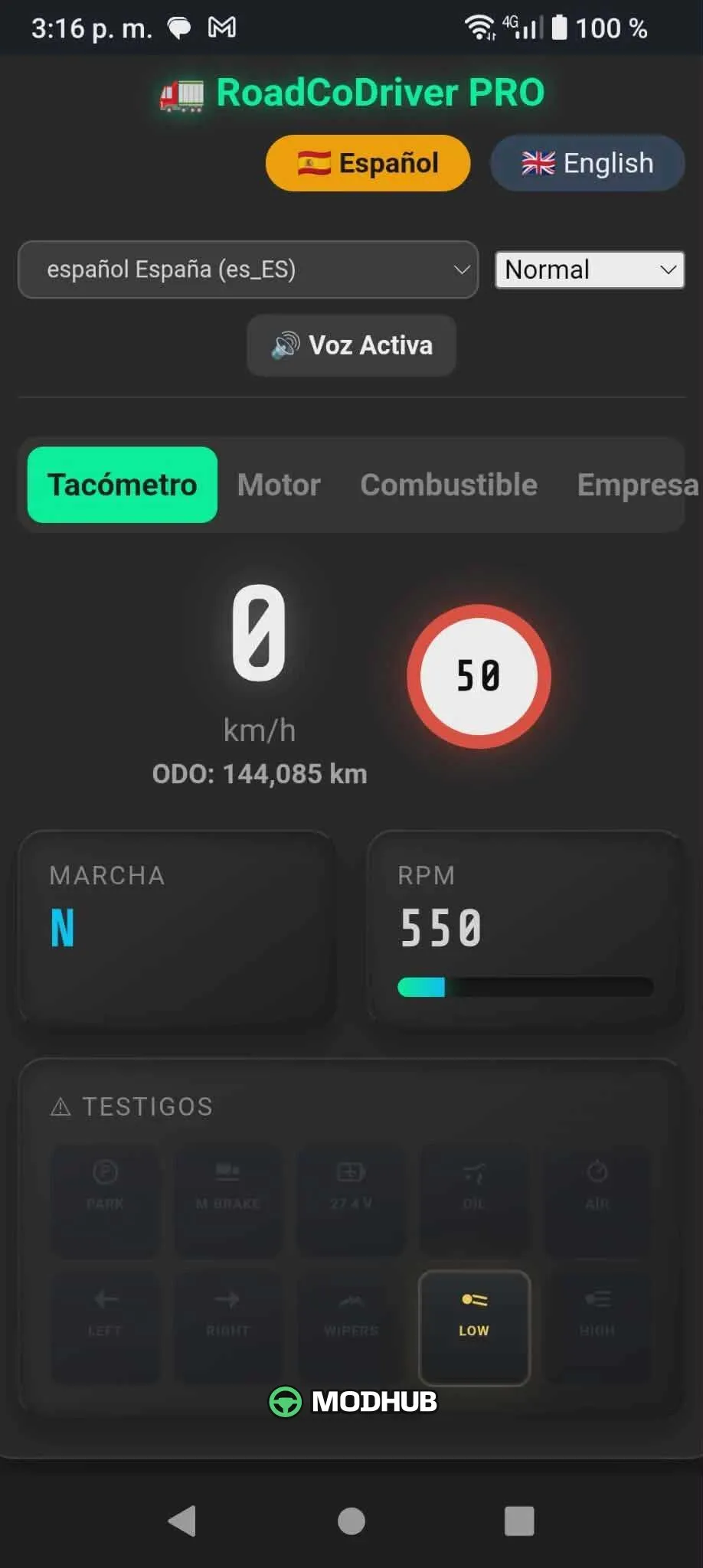
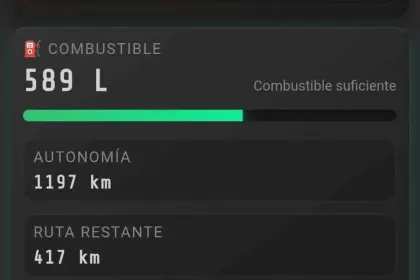
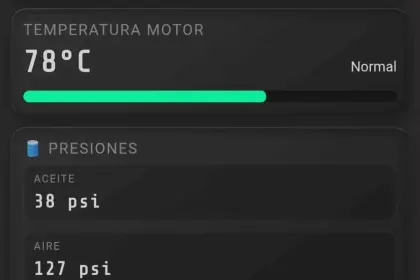
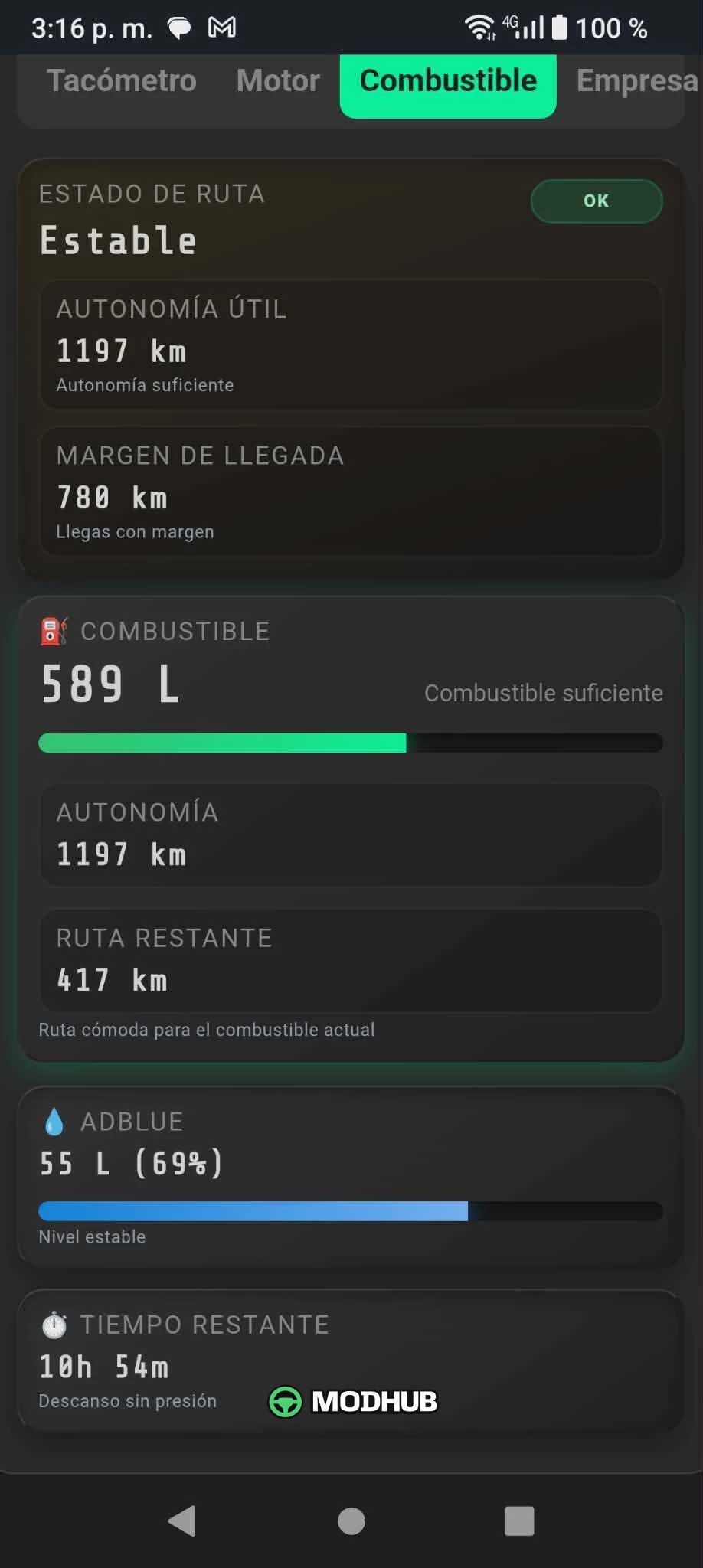
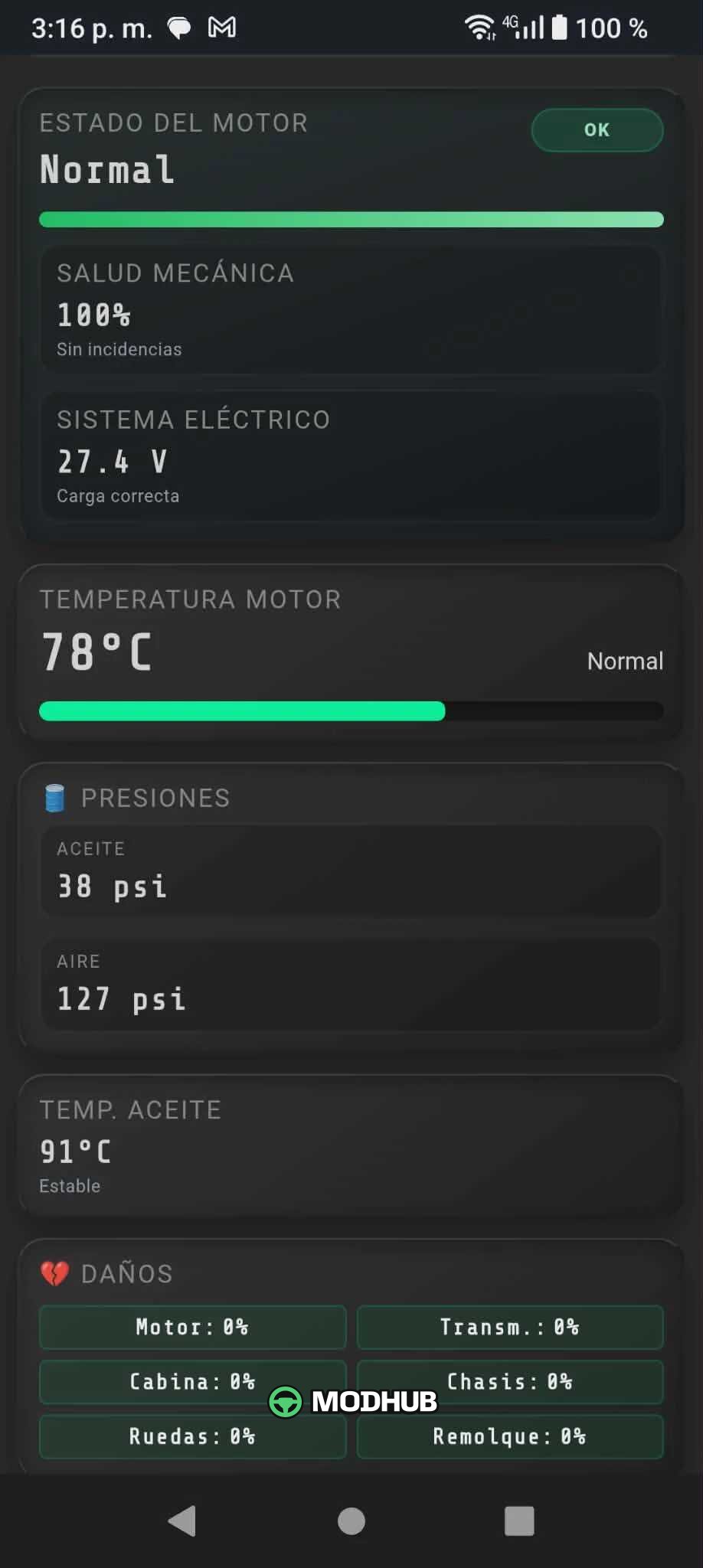
Road Co Driver Pro v1.6 is an assistant mod for American Truck Simulator that enhances driver interaction with the truck and navigation. It offers dynamic bilingual support, allowing instant switching between Spanish and English without page reload. Additionally, the mod includes enhanced natural voice prompts with correct flow and tone for each language. The expanded professional interface gives the driver full control over key truck metrics.
• Full control over the truck's "Mechanical Health".
• Display of "Usable Range" and "Arrival Margin".
• Trip "Profitability" indicator for planning earnings.
• Fixed visual bugs that caused code variables leaking onto the dashboard.
The interface is now 100% clean, stable, and professional, providing the driver with the most immersive route experience.
About Mod Road Co Driver Pro v1.6 for ATS
Mod Road Co Driver Pro v1.6 for ATS is a mod for American Truck Simulator. Check the author description, supported game version and dependencies before installing.
How to install the mod
Follow the installation instructions for Mod Road Co Driver Pro v1.6 for ATS, American Truck Simulator and your platform.
Download the mod archive using the Download button and read the author instructions.
Use the folder and archive format specified by the mod author for this game.
Start the game and enable the mod for the selected save or profile, if required.
Test using a backup or a new save. Install any dependencies listed by the author.
System requirements and compatibility
Check the mod description for supported game versions, required DLC and platforms. Compatibility with every version or other mods is not guaranteed.
Frequently asked questions
Is this mod free?
MODHUB does not charge for access to this mod page. Check the terms and download limits of the external file provider.
Can I use this mod in American Truck Simulator multiplayer?
Multiplayer support depends on the mod and its author. If supported, the server and players need matching mod versions and required DLC.
What should I check if the mod does not work?
Check the installation folder, archive structure, supported game version, dependencies and game logs. Test the mod separately using a backup save.
How can I check a downloaded mod?
Use trusted author sources, scan the archive and back up your saves. Do not run unrelated installers; a download listing does not guarantee safety or compatibility.